

Sign-in
Once you have successfully registered, you can sign in to access your My Tax Digital and start managing your MTD requiremeents.
-
Browse to the My Tax Digital website.
-
Click on the "Sign-in" button, located in the top-right corner.
-
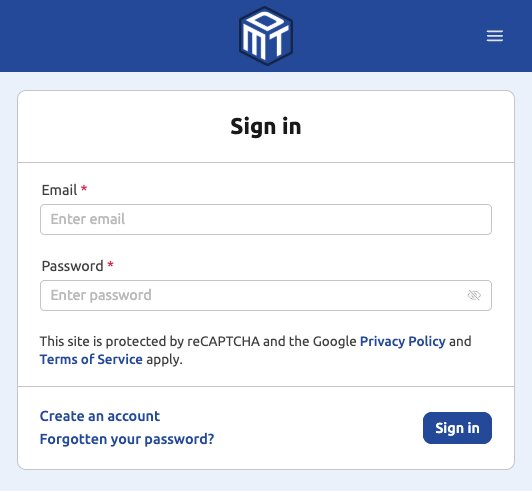
Enter your registered email address and the secure password you created during registration.
-
Click the "Sign-in" button.
-
Two-Factor Authentication (2FA) Check: Because your security is important, the system will immediately prompt you for a one-time passcode.
- This 6-digit passcode will be sent to your registered email address (or generated by your Authenticator app, if you've switched to that method). It expires after 15 minutes.
-
Check your email inbox (and junk/spam folder, just in case) for the new code. If you have triggered the sign-in more than once, make sure you use the most recent passcode — only the latest one will work.
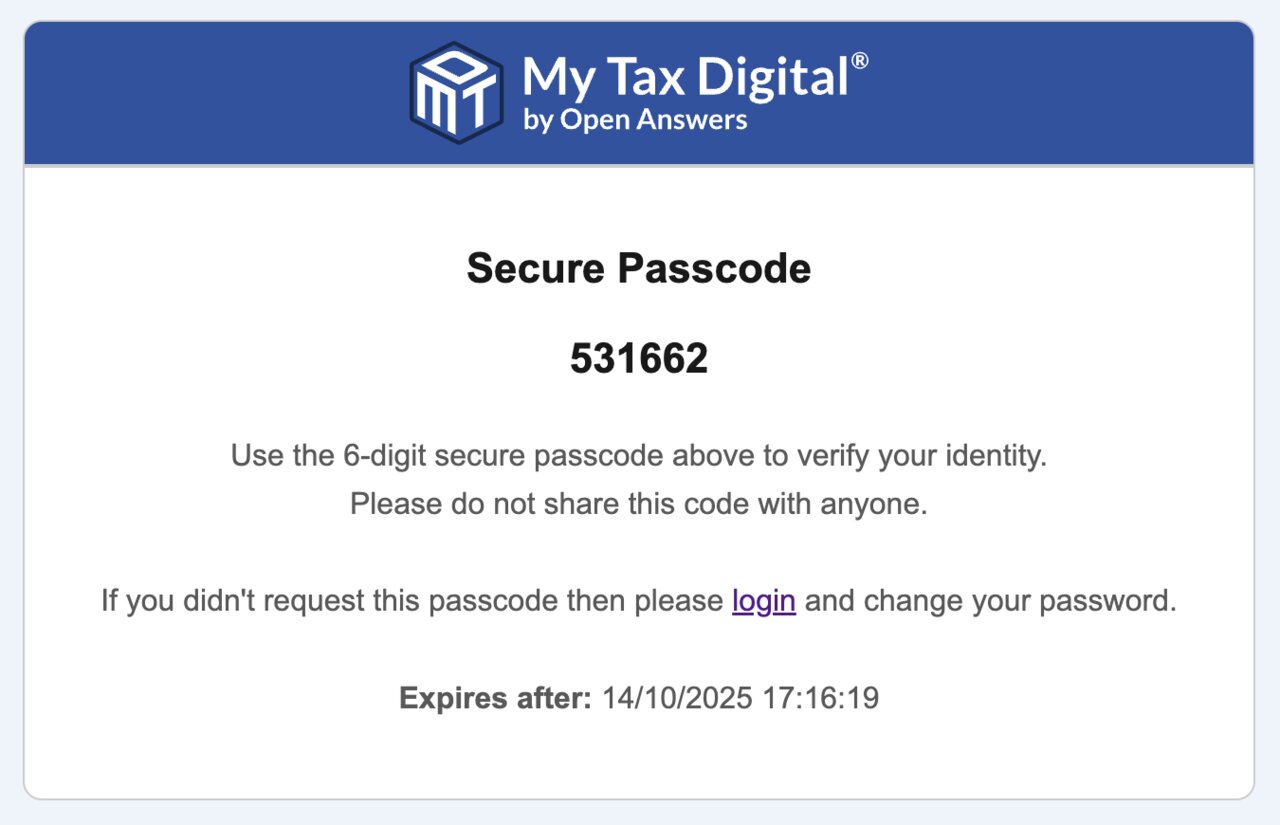
- Enter the 6-digit passcode into the Verify Identity screen.
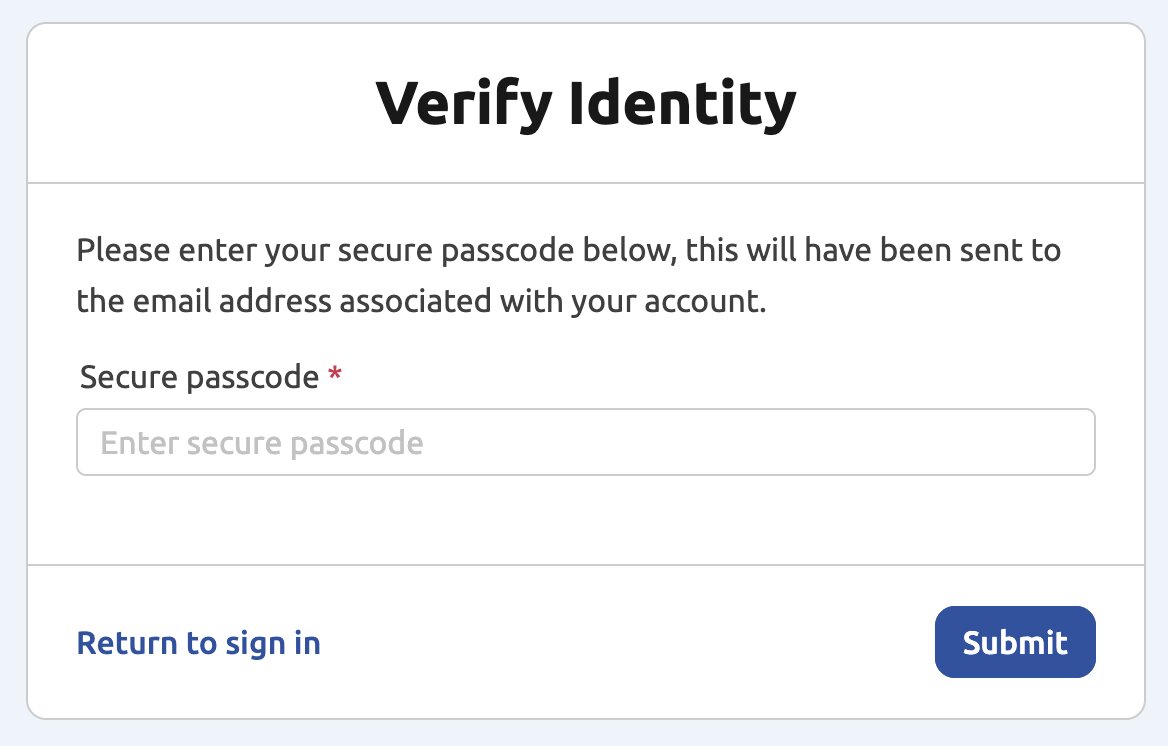
- Click "Submit" to complete the sign-in process and access your account.
Troubleshooting
"We are unable to send an email to this address": If you see this message when signing in, your email address may be on a suppression list — this can happen if a previous email from us bounced, or if you (or your mail system) marked one of our emails as spam. While an address is suppressed, all our emails to it are blocked, including sign-in passcodes. Contact support, who can clear the suppression quickly. Once cleared, the sign-in passcode will be sent as normal. If you marked an email as spam, avoid doing so again, as it will suppress the address again.
Passcode or password reset emails are slow, or never arrive: if the address isn't suppressed, delays are usually down to the receiving mail system or a forwarding address rather than My Tax Digital. If you use a work email address, ask your IT team to allow the domain mytaxdigital.co.uk (sender noreply@mytaxdigital.co.uk) at your email security gateway (for example Barracuda, Mimecast or Proofpoint) as well as in your mailbox, because the gateway can reject our emails before they reach it. To avoid waiting for emails at all, switch to an authenticator app for your passcodes.
Signed out again after copying your passcode on a phone: the Verify Identity screen returns to the Sign-in screen if the page reloads, which can happen when you switch to your email app and back. Read the code from the email notification without leaving your browser, or use a webmail page in the same browser, then enter the code. Only the most recent passcode works, and it expires after 15 minutes. If you tick Remember this device (the number of days is shown beside the tick box), you won't be asked for a passcode again on that device during that time. My Tax Digital never sends passcodes by text message; a text code you receive comes from HMRC's Government Gateway, not from us.
Password reset email not arriving: a reset email is only sent if the address you enter is registered to a My Tax Digital account. If it isn't, you won't see an error and no email is sent. If your account was set up with a shared or colleague's mailbox, use that address. If you're unsure which address you registered with, see below.
Lost access to, or mailbox full for, your registered email address: passcodes and password resets all go to the registered address, and we can't change it or bypass this for security reasons.
- Ask your IT team or mail provider to recover the mailbox, free up space, or forward the old address to one you can use.
- Once you can sign in, go to Edit profile, enter your new email address and click Update. The verification link is sent to the new address. See Your Account. While signed in you can also set up an authenticator app so you no longer rely on email passcodes.
- If you can't recover the mailbox, register a new account with an email address you can access, add the business or individual again, and re-authorise with HMRC. Returns and updates already submitted are held by HMRC and aren't affected, but records held only in the old account (such as transactions and attachments) don't carry across.
Signed in, but HMRC features say you're not authorised: your HMRC authorisation can expire, and is separate from signing in to My Tax Digital. After signing in, re-authorise from the HMRC Authorisation tile (see the VAT or ITSA authorisation guides).
"There was a problem with your request. Please try again or try a different browser/device": this comes from our automated bot-protection check (Google reCAPTCHA), not from your account or password. It can appear when you click Sign-in or when you submit your passcode. It is usually triggered by the browser or network rather than the account:
- Turn off ad-blockers and privacy or tracking-protection extensions for mytaxdigital.co.uk, or add the site as trusted in privacy-focused browsers and security software.
- Use an ordinary (not private/incognito) window, or clear the cache and cookies for mytaxdigital.co.uk.
- If you're on a VPN, a work network or public Wi-Fi, try again from a different connection.
If you instead see "There was a problem initiating your request, try reloading the page", the check couldn't load at all - usually because an extension or network filter is blocking Google's reCAPTCHA script. Allow it, then reload the page.
Nothing happens when you click Sign-in: this usually means your browser is out of date. Update your browser (on a Mac, Safari updates come with macOS updates) or use a current version of Chrome, Firefox, Safari or Edge. You don't need to reset your password.
"I reset my password but I still can't sign in": A password reset only changes your password — you'll still need to complete the Two-Factor Authentication step on every sign-in, including straight after a reset (see steps 5–7 above). Check that you're entering the passcode from the most recent email within its 15-minute expiry, and check your spam/junk folder if it hasn't arrived.
Account locked after too many failed attempts: After 5 unsuccessful password attempts, your account is temporarily locked for security. The lockout starts at 1 hour and increases for each further lockout triggered. Resetting your password during an active lockout completes successfully but does not clear the lockout early — only waiting out the remaining time does. For security, support is not able to clear a lockout early or speed this up - please wait for the timer to run out, then sign in again taking care to enter your current password correctly.
Not sure which email address you registered with, or which account is which: signing in to My Tax Digital is separate from signing in to HMRC's Government Gateway — the two use different credentials, so your Government Gateway ID and password won't work here. If you may hold more than one My Tax Digital account (for example, after a business rename or using a different email for a new registration), check for our previous emails to confirm the right address rather than guessing your password against several addresses in turn — each wrong guess counts towards that account's own lockout, so guessing across multiple accounts can lock more than one at once. If you're still unsure, contact support rather than continuing to guess.


