

Tax Calculations
This guide explains how to trigger and review tax calculations in My Tax Digital. Tax calculations are produced by HMRC and summarise your total tax liability based on the information you have submitted.
1. The Tax Calculations List
The Tax Calculations screen shows all calculations that have been triggered for the selected tax year, along with their type and current status.
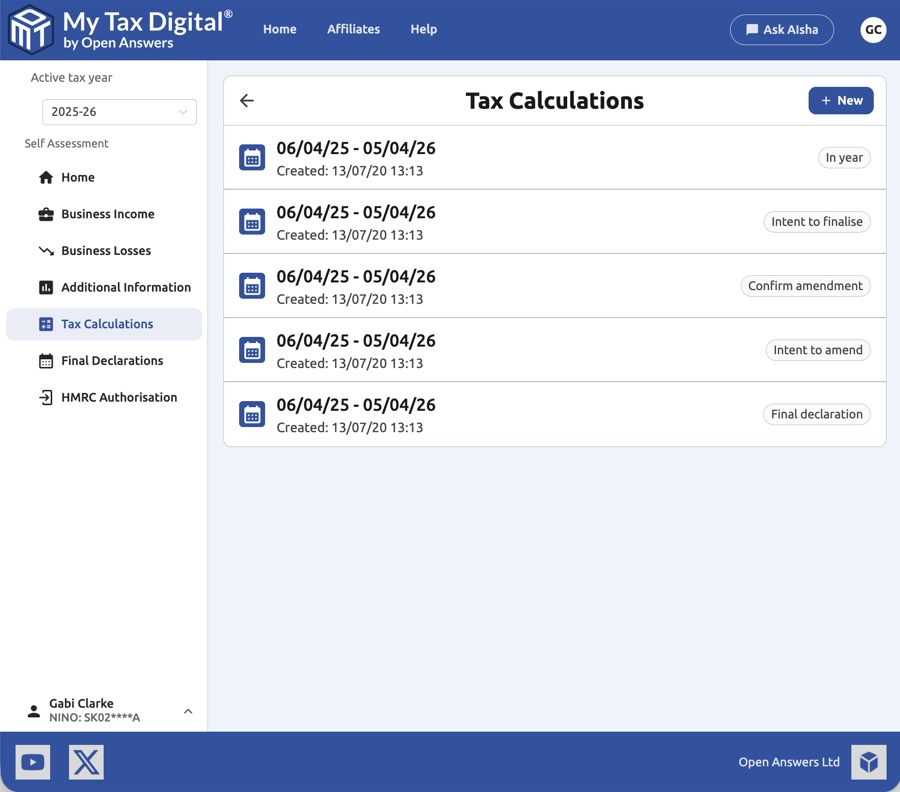
Each entry shows the submission period and the date and time the calculation was created. The example below shows all five calculation types as they appear in the list.
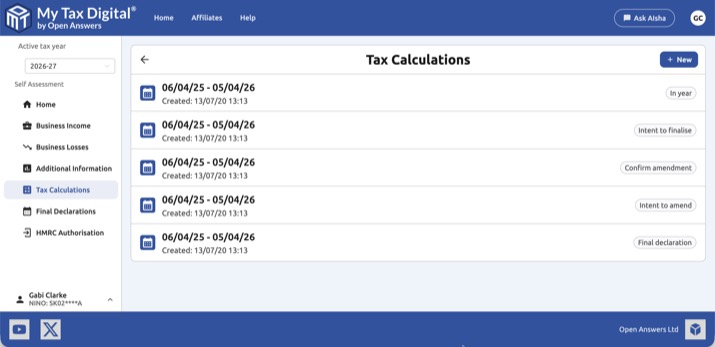
Calculations are labelled with one of the following types:
| Type | Description |
|---|---|
| In year | A mid-year estimate based on income and expenses submitted to date. |
| Intent to finalise | A calculation triggered when you intend to finalise your tax return for the year. |
| Confirm amendment | A calculation confirming an amendment after a previous final declaration. |
| Intent to amend | A calculation triggered when you intend to amend a previously finalised return. |
| Final declaration | The definitive calculation produced when your final tax return is submitted. |
Each entry also carries a tag showing what HMRC did with the calculation:
| Tag | Meaning |
|---|---|
| Processed | HMRC produced the calculation. Click it to see the figures. |
| Rejected | HMRC accepted the calculation for processing but then rejected it, so there are no figures to show. |
| Error | HMRC hit an error while working out the calculation, so there are no figures to show. |
Rejected and Error calculations stay in the list as a record. They cannot be deleted, and they do not affect your quarterly updates or other submissions. Click New to trigger a fresh calculation.
2. Triggering a New Calculation
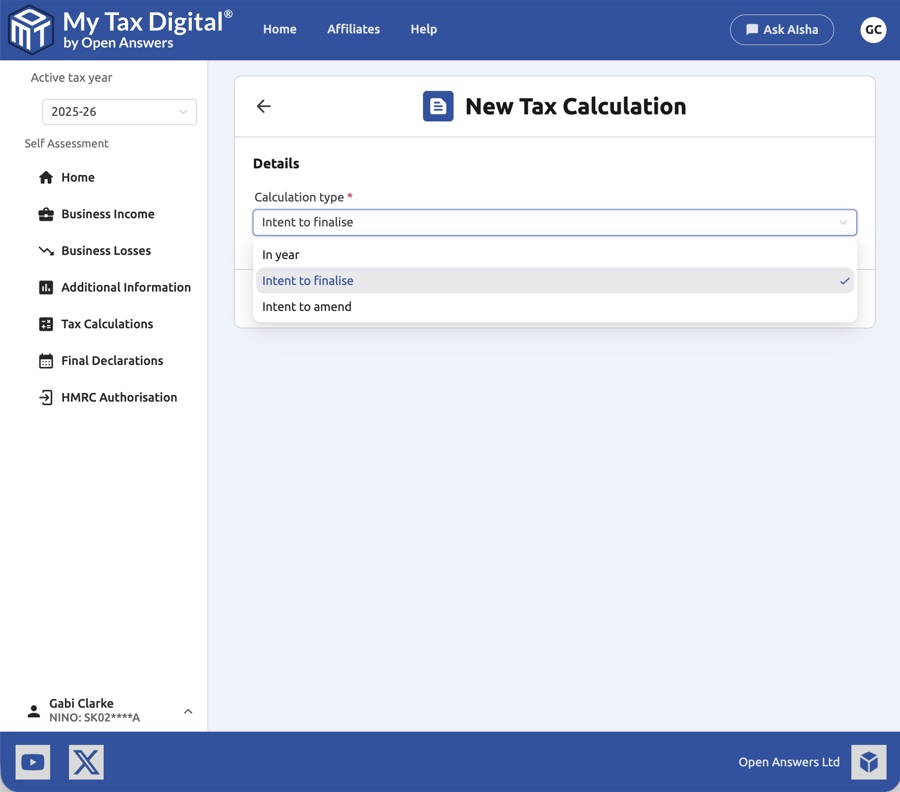
Select the Calculation type from the dropdown. Only the types relevant to your current submission state are available:
| Type | When available |
|---|---|
| In year | Available at any point during the year. |
| Intent to finalise | Available when the tax year has ended and all required submissions are in place. |
| Intent to amend | Available after a final declaration has been submitted. |
Final declaration and Confirm amendment types are not manually triggered — they are produced automatically by HMRC as part of the declaration workflow.
3. Viewing a Tax Calculation
Click any calculation in the list to view its full detail.
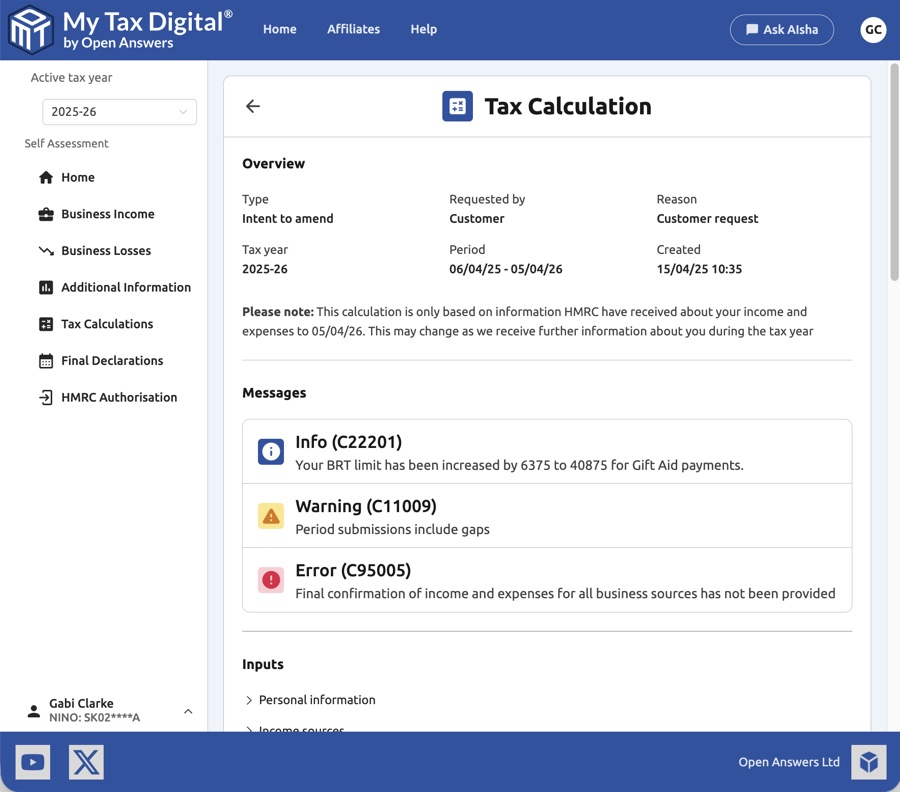
Overview
| Field | Description |
|---|---|
| Type | The calculation type (e.g. Intent to amend). |
| Requested by | Who triggered the calculation — Customer (you) or Agent. |
| Reason | The reason for the calculation (e.g. Customer request). |
| Tax year | The tax year the calculation covers. |
| Period | The submission period the calculation relates to. |
| Created | The date and time HMRC produced the calculation. |
Please note: The calculation is only based on information HMRC have received about your income and expenses up to the calculation date. It may change as further information is received during the tax year.
A calculation is a snapshot — it does not update itself. If you submit further income and expenses (for example, a quarterly update) after triggering a calculation, that calculation will not automatically refresh to include the new figures. To see an up-to-date estimate reflecting everything currently on record, trigger a fresh In year calculation from the Tax Calculations screen.
Messages
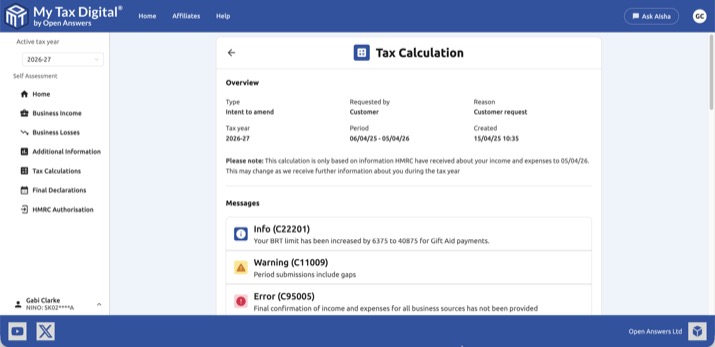
HMRC may include messages alongside the calculation to highlight issues or provide information. Each message is shown with an icon indicating its severity. The example below shows all three message types on an Intent to amend calculation — the layout is the same for all calculation types.
| Icon | Type | Description |
|---|---|---|
| ℹ️ | Info | General information from HMRC (e.g. a BRT limit increase). |
| ⚠️ | Warning | A potential issue that may affect your calculation (e.g. gaps in period submissions). |
| ❌ | Error | An error that prevents the calculation from being complete (e.g. missing income confirmation). |
Common errors
Error C55326 — Periods of Account not submitted
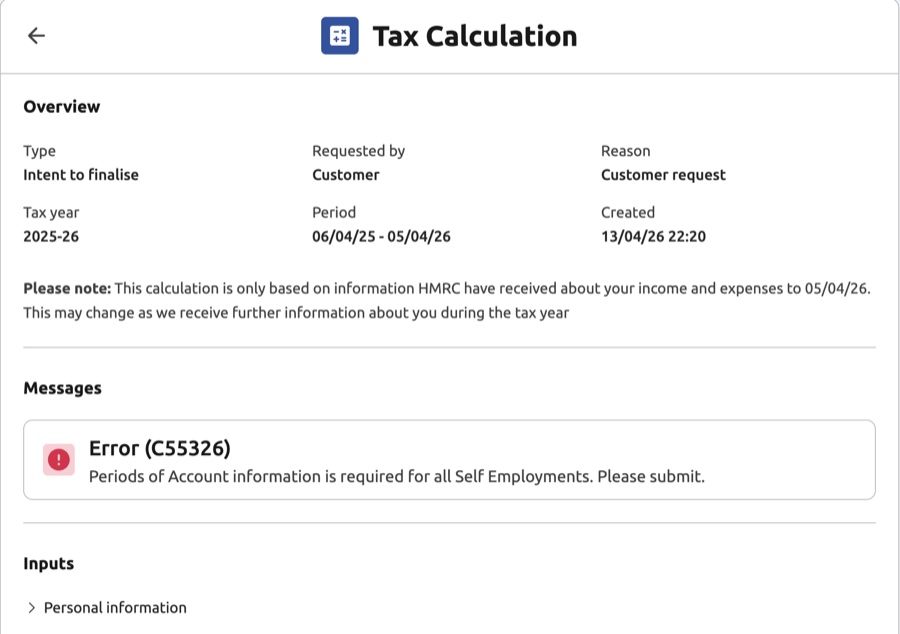
If an Intent to Finalise calculation returns error C55326 ("Periods of Account information is required for all Self Employments. Please submit."), navigate to each of your Self Employment income sources under Business Income, open the Periods of Account tile, and submit the periods of account for that source. Once all sources have been submitted, trigger a new Intent to Finalise calculation.
When no figures are available
If a calculation has no figures to show, opening it displays one of these messages instead of the breakdown:
| Message | What it means |
|---|---|
| Calculation rejected by HMRC | HMRC accepted the calculation for processing but then rejected it. HMRC do not tell My Tax Digital why. Triggering a new calculation may work. |
| Calculation could not be completed | HMRC hit an error while working out the calculation. Triggering a new calculation may work. |
| Calculation still being processed | HMRC have accepted the calculation but have not returned the figures yet. Check back shortly. |
| Calculation not found | The calculation doesn't exist or failed to load. Go back to the list and check whether an entry covers the period in question. |
Failed calculations remain in the list as a record, cannot be removed, and do not affect your quarterly updates.
Inputs
The collapsible Inputs section shows the data HMRC used to produce the calculation, broken down into:
- Personal information — Name, address, and other taxpayer details.
- Income sources — A breakdown of income by source (employment, self employment, property etc.).
4. The Calculation Breakdown
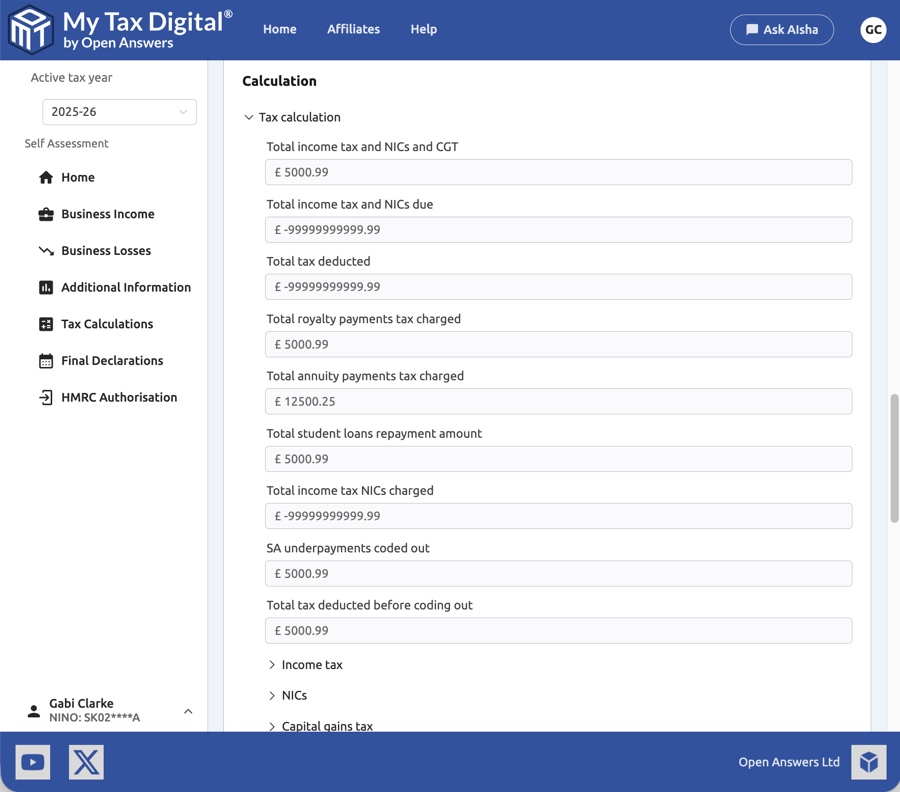
The Calculation section provides a detailed breakdown of the tax liability. The top-level figures are:
| Field | Description |
|---|---|
| Total income tax and NICs and CGT | The total of all tax, National Insurance, and Capital Gains Tax due. |
| Total income tax and NICs due | Income tax and NIC liability before deductions. |
| Total tax deducted | Tax already deducted at source (e.g. PAYE, CIS deductions). |
| Total royalty payments tax charged | Tax charged on royalty payments received. |
| Total annuity payments tax charged | Tax charged on annuity payments received. |
| Total student loans repayment amount | Student loan repayments due for the year. |
| Total income tax NICs charged | Total income tax and NIC charge before any deductions. |
| SA underpayments coded out | Any Self Assessment underpayment from a previous year that HMRC is collecting through your tax code. |
| Total tax deducted before coding out | Tax deducted before coding out adjustments are applied. |
Further detail is available in the collapsible sub-sections:
- Income tax — Breakdown of income tax by rate band (basic rate, higher rate, additional rate).
- NICs — National Insurance Contributions breakdown (Class 2, Class 4).
- Capital gains tax — CGT breakdown by asset type.
Saving a Tax Calculation as a PDF
You can save any tax calculation as a PDF using your browser's built-in print function:
- Open the tax calculation you want to save.
- Press Ctrl+P (Windows) or Cmd+P (Mac) to open the print dialog.
- Change the destination to Save as PDF.
- Click Save.
This saves the full calculation detail as a PDF, which you can share with a mortgage lender, accountant, or other third party as an SA302 equivalent.


