

Loss Claims
This guide explains how to manage loss claims in My Tax Digital — instructions for making claims to use a business loss against income.
Which screen you'll see depends on the tax year:
- 2026-27 tax year onwards — a single unified Loss Claims screen per business. See 2026-27 tax year onwards.
- 2025-26 tax year and earlier — the claim-list screen with Type of loss / Type of claim, accessed from the Business Losses hub. See 2025-26 tax year and earlier.
Switch the Active tax year (top-left dropdown) to see the version of this screen relevant to that year.
1. 2026-27 tax year onwards
From the 2026-27 tax year, Loss Claims covers brought forward losses, carry back, carry sideways, preference order and carry forward for a single business, all on one screen. It is accessed from that business's income source page rather than a shared Business Losses hub.
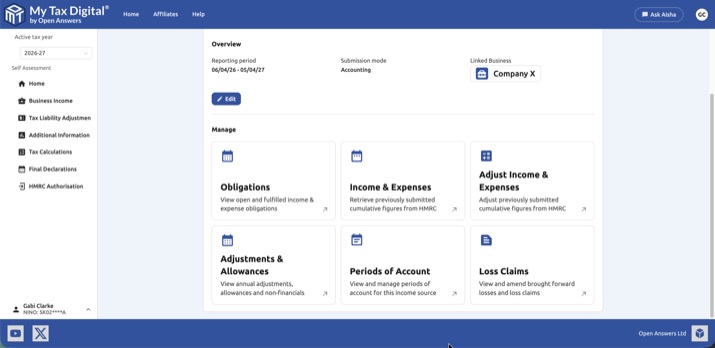
Open the business under Business Income, then click the Loss Claims tile under Manage.
1.1 Overview
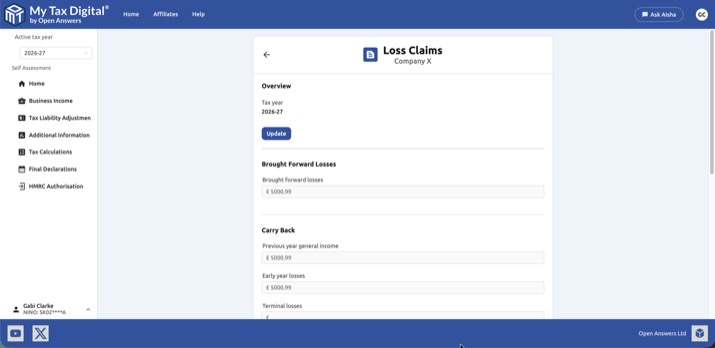
- Tax year: The active tax year these claims relate to.
- Update: Click to enter or amend your loss claim figures for this business and tax year.
1.2 Entering Figures
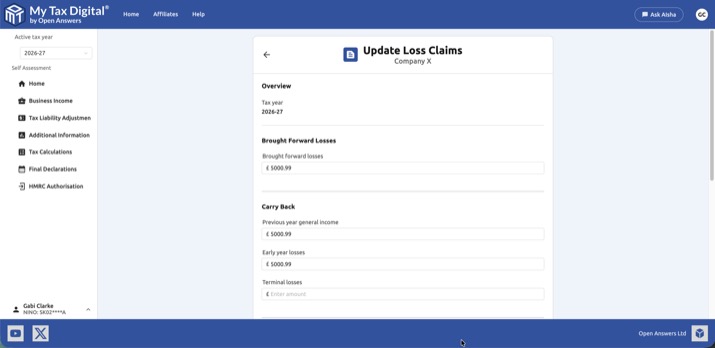
| Section | Field | Description |
|---|---|---|
| Brought Forward Losses | Brought forward losses | Losses from earlier tax years for this business, now being set against this year's profits. |
| Carry Back | Previous year general income | This year's trading loss carried back and set against general income of the previous tax year. |
| Carry Back | Early year losses | A loss from one of the first four years of a new trade, carried back against general income of the three years before the loss. |
| Carry Back | Terminal losses | A loss from a business's final 12 months of trading, carried back against profits of the same trade in the three years before the final year. |
| Carry Sideways | Current year general income | This year's trading loss set against your other income for the same tax year. |
| Preference Order | Apply first | Whether the Carry Sideways or Carry Back claim is applied first. Only required when both Previous year general income and Current year general income are entered together. |
| Carry Forward | Current year losses | This year's loss carried forward to set against future profits from the same business. |
| Carry Forward | Previous years losses | Previously brought-forward losses that remain unused after this year, carried forward again. |
Rules to be aware of:
- Terminal losses and Carry Forward cannot both be claimed for the same business and tax year — once a business has permanently ceased trading, there is no future profit left to carry a loss forward against.
- If you enter both Previous year general income (Carry Back) and Current year general income (Carry Sideways), you must choose an Apply first preference.
- Any amount entered under Carry Back must also be reflected as a decrease to your Income Tax, Class 4 NIC and/or Capital Gains Tax liability on the Tax Liability Adjustments screen — HMRC's calculation depends on both being submitted.
Click Delete to remove the loss claim record for this business and tax year, or Submit/Update to save your changes.
2. 2025-26 tax year and earlier
For the 2025-26 tax year and earlier, loss claims are managed as a list of individual claims across all your businesses, accessed from the Business Losses hub.
2.1 The Loss Claims List
The Loss Claims screen shows all loss claims for the current tax year. Each entry shows the business name, loss type, claim type, and the date it was last modified.
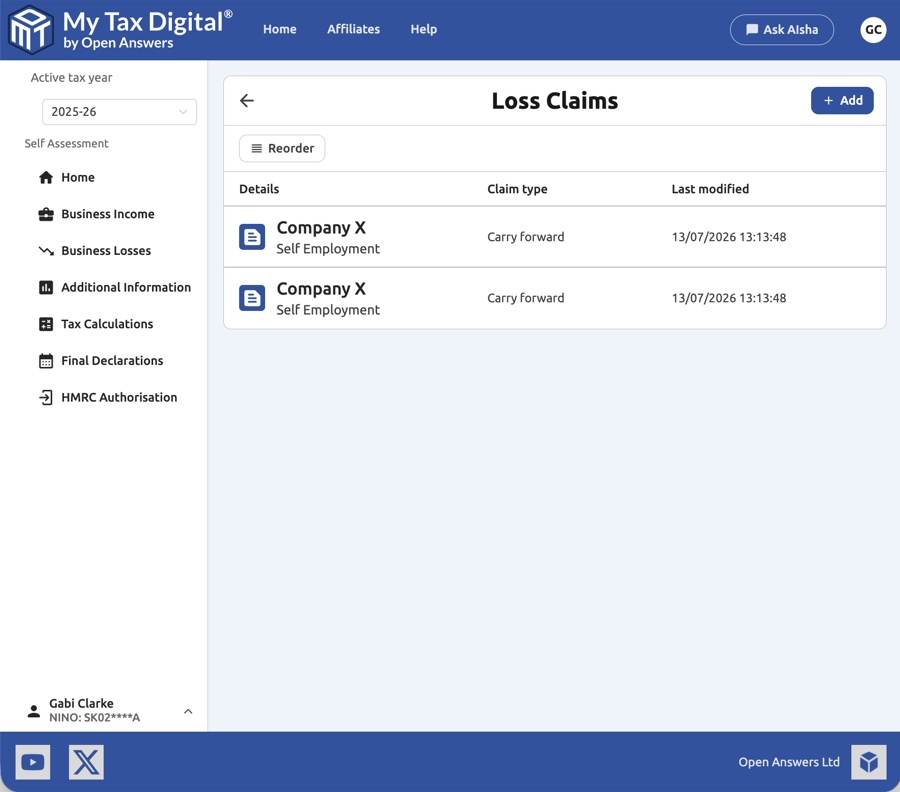
- Claim type — How the loss is being utilised (e.g. Carry forward).
- Last modified — The date and time the claim was last updated.
Click + Add to create a new loss claim, or click an existing entry to update it. Claims can be reordered using the Reorder button — the order determines the priority in which claims are applied.
2.2 Creating or Updating a Loss Claim
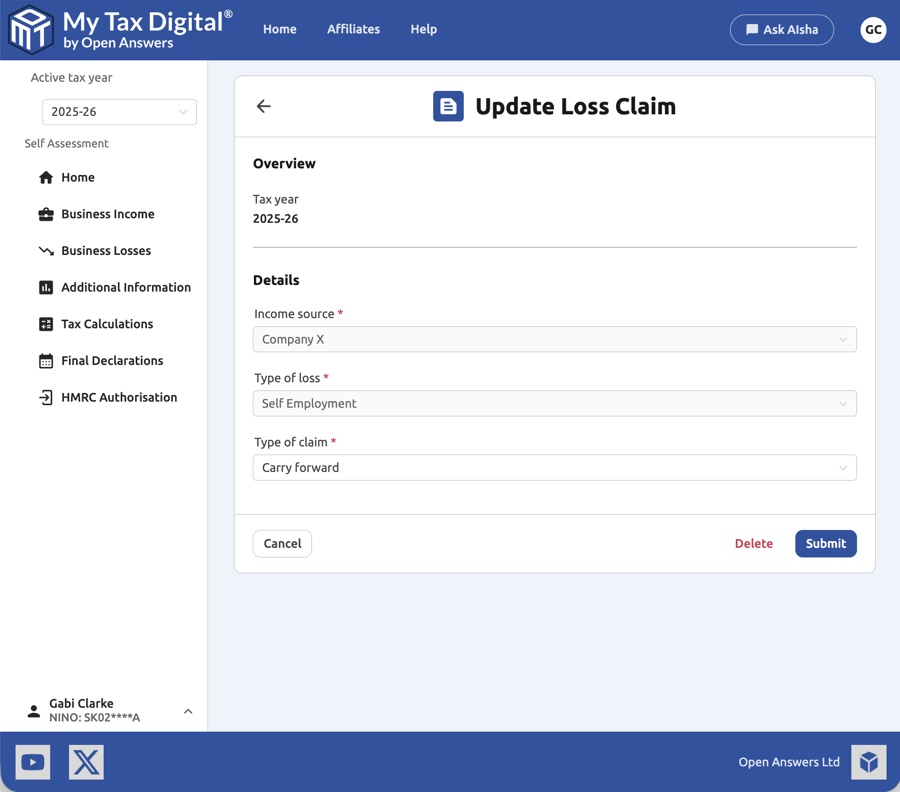
| Field | Description |
|---|---|
| Income source | The business the loss relates to. |
| Type of loss | The category of the loss. See the table below. |
| Type of claim | How you wish to use the loss. See the table below. |
Loss types
| Type | Description |
|---|---|
| Self Employment | A trading loss from a self employment business. |
| UK Property | A loss from a UK property business. |
| Foreign Property | A loss from a foreign property business. |
Claim types
| Type | Description |
|---|---|
| Carry forward | Carry the loss forward to set against future profits from the same business. |
| Carry sideways | Set the loss against other income in the same tax year. |
| Carry sideways FHL | Set a Furnished Holiday Letting loss sideways against other income. |
| Carry forward to carry sideways | Carry the loss forward with the intention of setting it sideways in a future year. |
Click Delete to remove an existing loss claim, or Submit to save your changes.


