

CGT on Residential Property Disposals
This guide explains how to use the My Tax Digital interface to report Capital Gains Tax (CGT) on the disposal of UK residential property. This section covers two reporting routes: Non-PPD (non-payment for property disposal) and PPD (payment for property disposal — used where you have already made a 60-day CGT payment report to HMRC).
These disposals are reported on SA108 (Capital Gains Summary).
1. The CGT Residential Property Hub
The hub screen gives access to the two sub-sections.
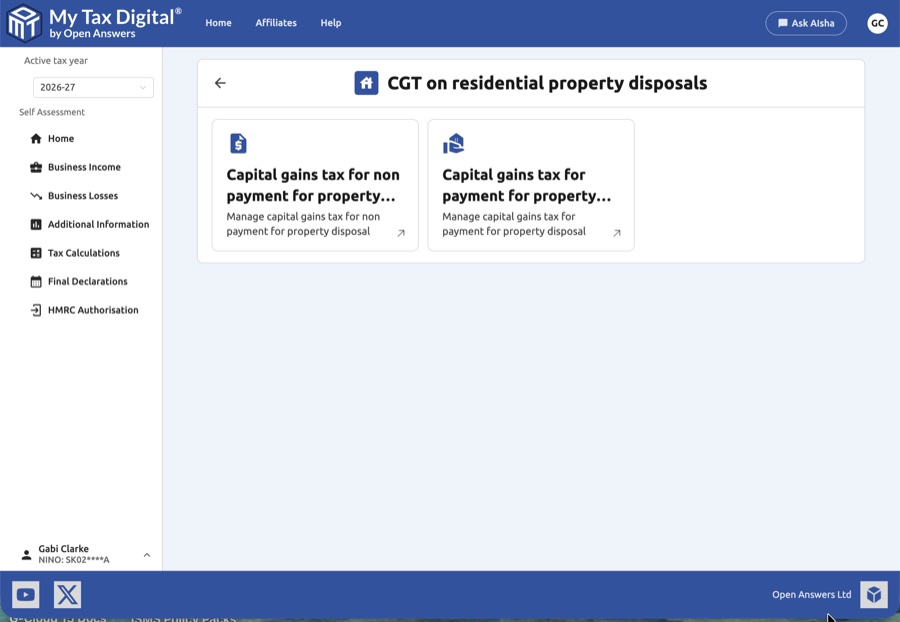
- Capital gains tax for non payment for property disposal: Use this section to report disposals where no 60-day CGT payment was made.
- Capital gains tax for payment for property disposal: Use this section to report disposals where a 60-day online CGT report and payment was already submitted to HMRC.
2. Non-PPD Disposals
List View
The Non-PPD screen lists all disposals entered for the tax year.
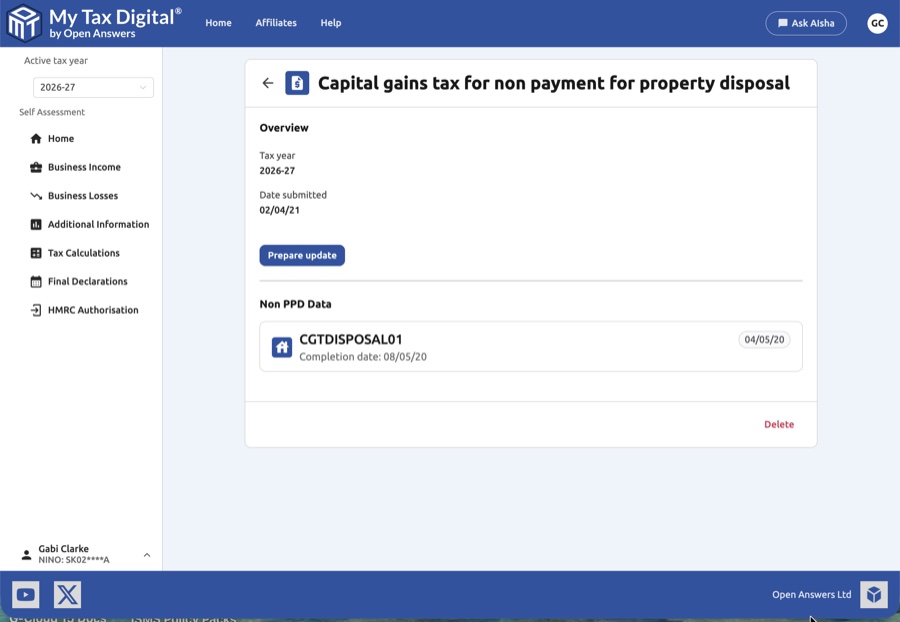
- Entries: Each entry shows a customer reference and the completion date of the disposal.
- Add New: Click the + Add button to record a new non-PPD disposal.
Adding a Non-PPD Disposal
Clicking + Add opens the disposal entry form.
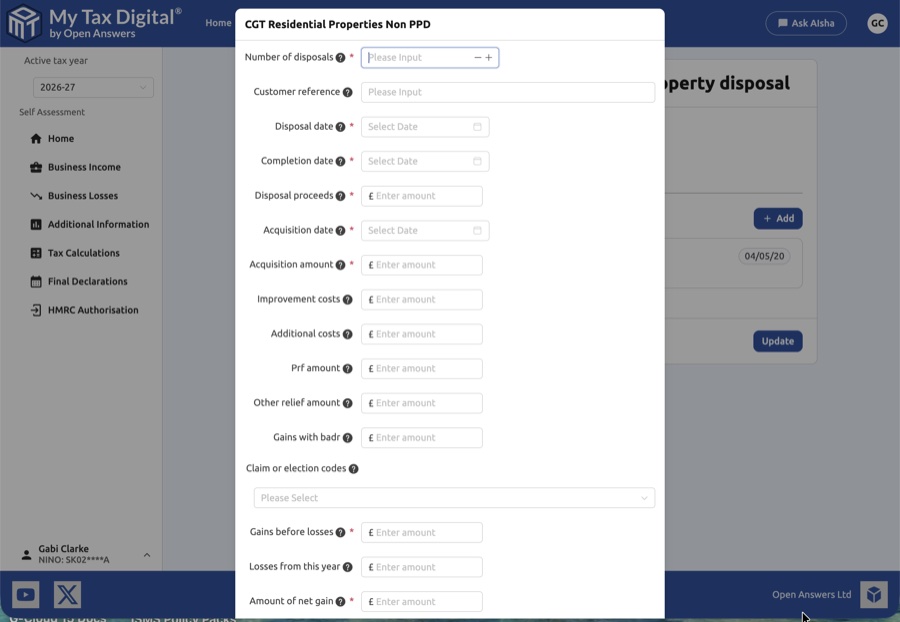
| Field | Description | SA108 |
|---|---|---|
| Number of disposals | The total number of property disposals covered by this entry. | — |
| Customer reference | A unique reference to identify this disposal in your records. | — |
| Disposal date | The date of the disposal (exchange of contracts). | — |
| Completion date | The date the transaction completed. | — |
| Disposal proceeds | The total sale proceeds received. | Box 6 |
| Acquisition date | The date the property was originally acquired. | — |
| Acquisition amount | The original purchase cost of the property. | Box 7 |
| Improvement costs | Any costs of capital improvements made to the property. | Box 7 |
| Additional costs | Other allowable costs (e.g., legal fees, estate agent fees). | Box 7 |
| PRF amount | Private Residence Relief amount claimed. | Box 8 |
| Other relief amount | Any other CGT reliefs applicable to this disposal. | Box 8 |
| Gains with BADR | The portion of gains qualifying for Business Asset Disposal Relief. | — |
| Claim or election codes | HMRC codes for specific relief claims or elections. | — |
| Gains before losses | The gain calculated before deducting any losses. | — |
| Losses from this year | Current year losses being offset against this gain. | — |
| Amount of net gain | The final net gain after reliefs and losses. | Box 6 |
3. PPD Disposals
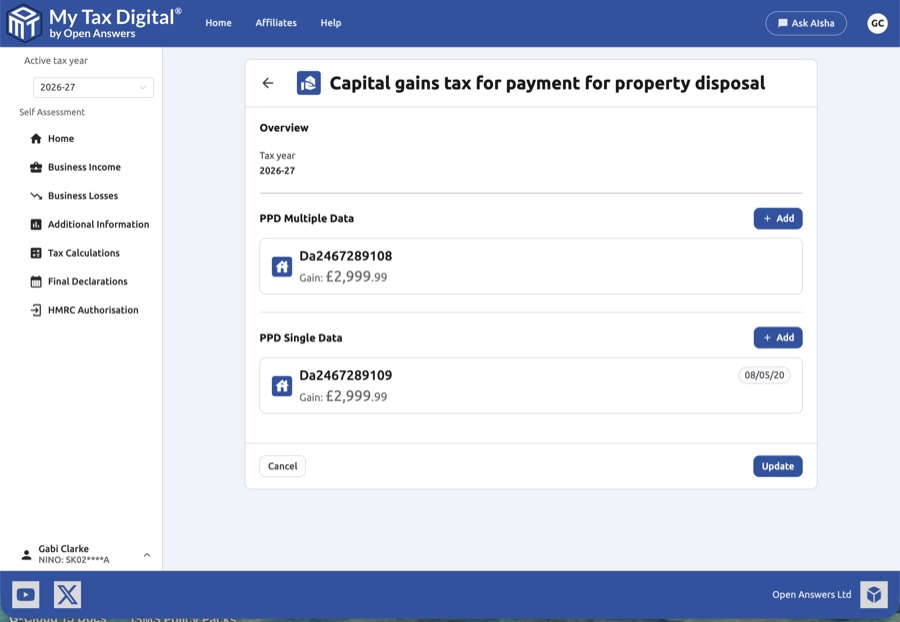
Use this section if you already submitted a 60-day CGT payment report via HMRC's online service.
PPD Overview
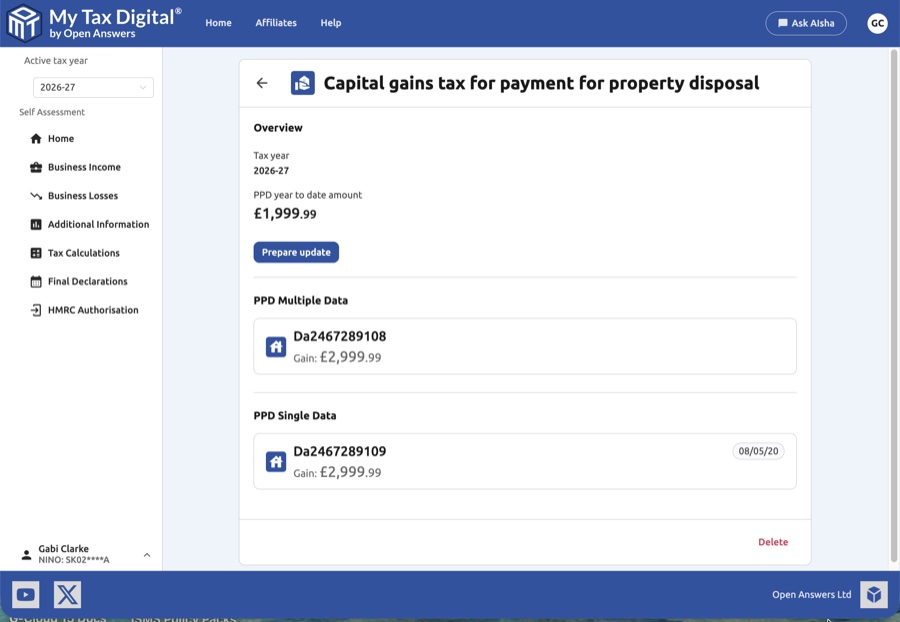
- PPD year to date amount: The cumulative PPD amount already reported.
- PPD Multiple Data: Disposals reported using a combined (multiple property) PPD return.
- PPD Single Data: Disposals reported using an individual (single property) PPD return.
Adding PPD Data
Click + Add to record a new PPD entry.
Multiple PPD entry:
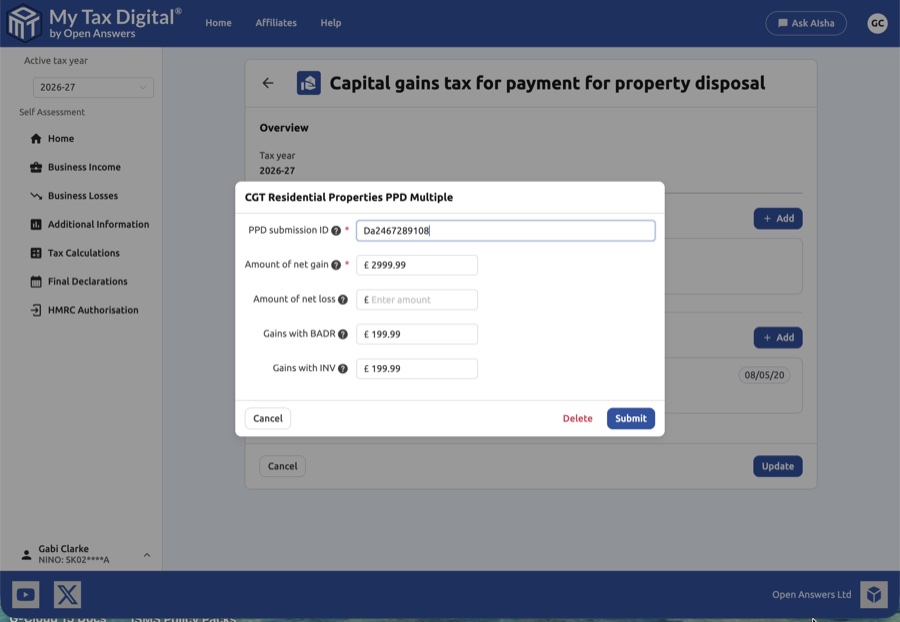
| Field | Description |
|---|---|
| PPD submission ID | The reference number from your 60-day HMRC CGT report. |
| Amount of net gain | The net gain (or loss) reported in the PPD submission. |
| Gains with BADR | The portion of gains qualifying for Business Asset Disposal Relief. |
| Gains with INV | The portion of gains qualifying for Investors' Relief. |
Single PPD entry:
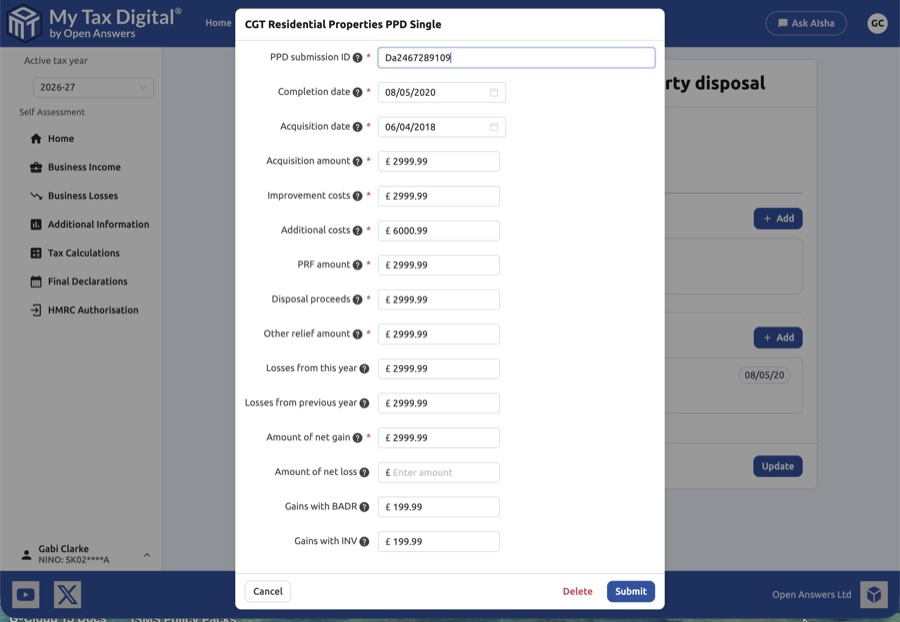
| Field | Description |
|---|---|
| PPD submission ID | The reference number from your 60-day HMRC CGT report. |
| Completion date | The date the property transaction completed. |
| Acquisition date | The date the property was originally acquired. |
| Acquisition amount | The original purchase cost of the property. |
| Improvement costs | Costs of capital improvements to the property. |
| Additional costs | Other allowable disposal costs. |
| PRF amount | Private Residence Relief claimed. |
| Disposal proceeds | The total sale proceeds. |
| Other relief amount | Any other CGT reliefs applied. |
| Losses from this year | Current year losses offset against this gain. |
| Losses from previous year | Losses brought forward from earlier years. |
| Amount of net gain | The final net gain or loss after reliefs. |
| Gains with BADR | The portion qualifying for Business Asset Disposal Relief. |
| Gains with INV | The portion qualifying for Investors' Relief. |
4. Finalising Your Submission
Once all disposal details are entered and verified:
- Submit / Update: Save your entries to include them in your SA108 return.
- Delete: Remove individual entries using the Delete link within each record.
- Cancel: Discard changes and return to the hub screen.


