

Other Expenses
This guide explains how to use the My Tax Digital interface to record and update specific tax-deductible expenses, such as trade union payments for death benefits and patent royalty payments.
1. The Other Expenses Overview
The Other Expenses screen provides a summary of specialized payments that may be deductible from your total income for a specific tax year.
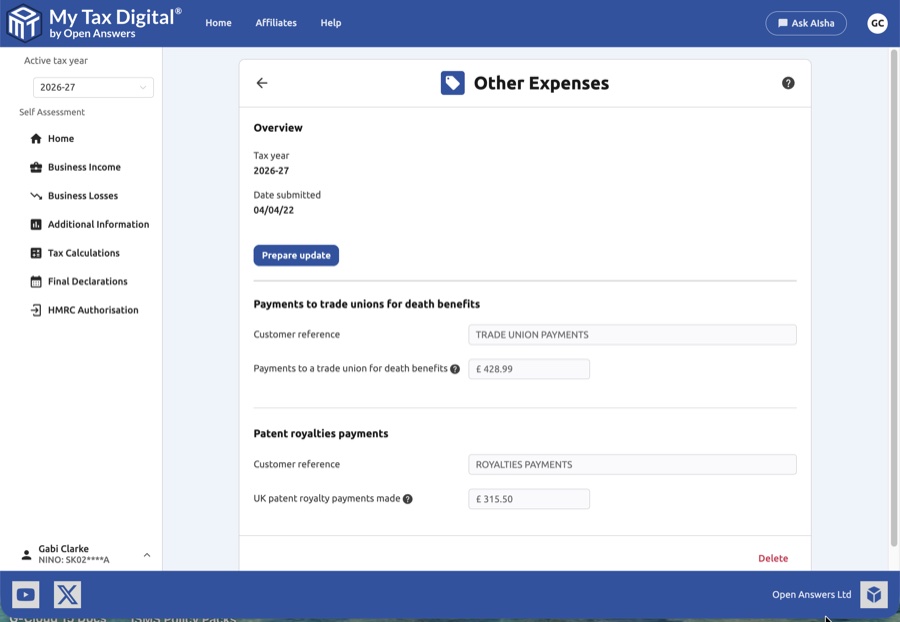
- Overview Section: Check the Tax year shown and the Date submitted to verify when this information was last sent to HMRC.
- Prepare Update: Click the Prepare update button to unlock the input fields for editing.
- Read-Only Summary: Before clicking "Prepare update," you can view your current recorded figures and customer references for each category.
- Delete: Use the Delete link at the bottom of the page if you need to remove all "Other Expenses" data for this period.
2. Updating Other Expenses
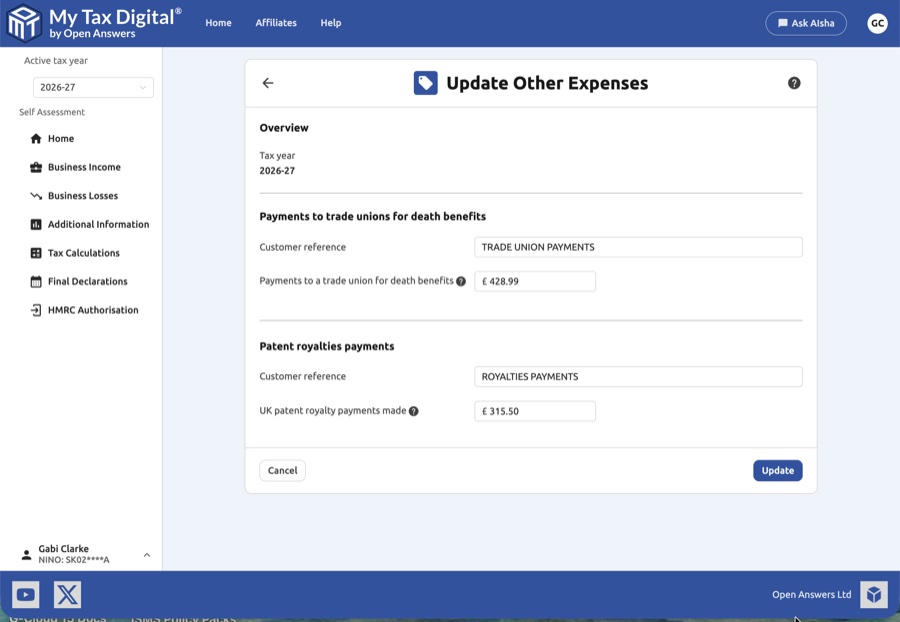
Once you enter the Update Other Expenses screen, you can provide details for the following two categories:
| Category | Description | SA100 |
|---|---|---|
| Payments to trade unions for death benefits | Contributions made to a trade union specifically to provide for superannuation, life insurance, or funeral benefits. | Deductions section |
| Patent royalties payments | Payments made for the right to use a patent, which may be eligible for tax relief. | Deductions section |
- Customer Reference: Enter a unique name to help you identify the source of the expense in your records.
Both categories are reported in the Deductions section of SA100.
3. Finalising Your Submission
After entering your totals and references:
- Review: Ensure the figures match your annual statements from your trade union or your royalty payment records.
- Submit / Update:
- If this is your first submission for these expenses this year, the button will be labeled Submit.
- If you are modifying existing data, the button will be labeled Update.
- Cancel: Click Cancel to return to the overview without saving any changes.


