

Disclosures
This guide explains how to use the My Tax Digital interface to manage sensitive tax disclosures, including Tax Avoidance schemes and voluntary Class 2 National Insurance contributions.
1. The Disclosures Overview
The Disclosures screen provides a summary of information provided regarding tax avoidance and specific insurance contributions for the selected tax year.
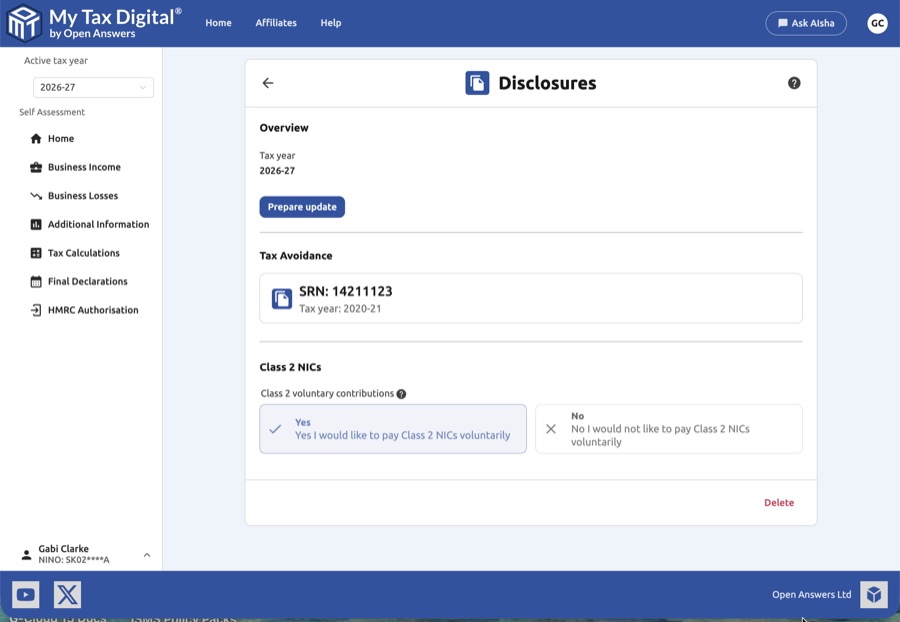
- Tax Year Context: Confirm the Tax year shown and the date the information was last Submitted on.
- Current Disclosures: View existing Tax Avoidance records, including the Scheme Reference Number (SRN) and the relevant tax year.
- Prepare Update: Click the Prepare update button to enable editing of these sections.
- Delete: Use the Delete link at the bottom of the page to remove all disclosure data for this tax year.
2. Tax Avoidance Disclosure
If you have been involved in a tax avoidance scheme that falls under the Disclosure of Tax Avoidance Schemes (DOTAS) rules, you must record the details here.
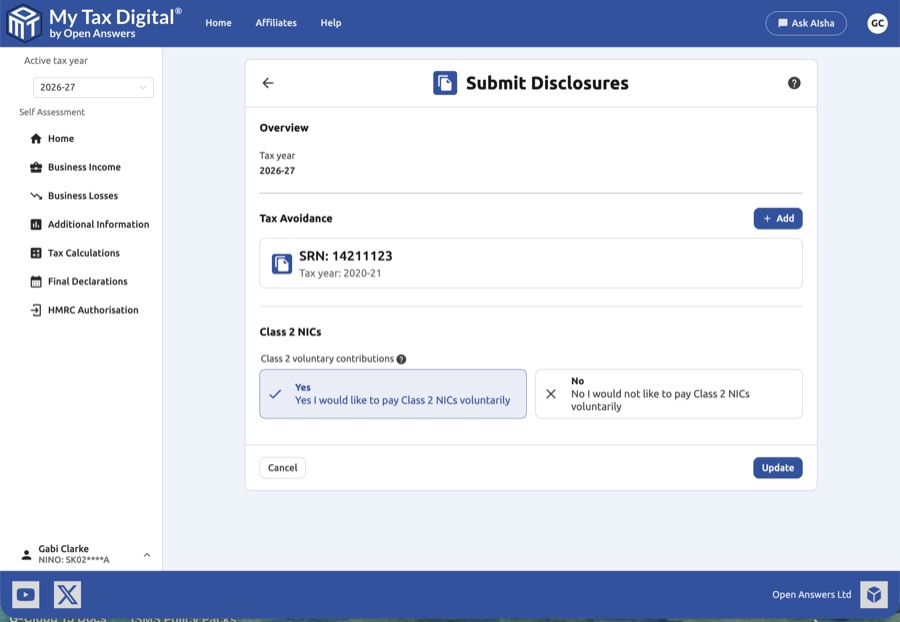
- Add New Disclosure: Click the + Add button in the Tax Avoidance section to open the entry modal.
- Required Details:
- SRN: Enter the 8-digit Scheme Reference Number provided by the scheme promoter or HMRC. (SA100 — Tax avoidance section)
- Tax Year: Specify the tax year in which the tax advantage is expected to arise (e.g., 2020-21).
- Edit/View: Clicking an existing SRN tile allows you to view or modify the details of that specific disclosure.
3. Class 2 NICs (National Insurance Contributions)
This section is for self-employed individuals who may wish to pay Class 2 National Insurance contributions voluntarily.
- Voluntary Contributions: You are presented with a clear Yes/No choice.
- Yes: Select this if you would like to pay Class 2 NICs voluntarily (often done to protect entitlement to the State Pension and other benefits if your profits are below the Small Profits Threshold). (SA100 — Class 2 NICs section)
- No: Select this if you do not wish to make voluntary payments.
4. Finalising Your Submission
After ensuring your DOTAS information and NIC preferences are correct:
- Review: Ensure the SRN matches the documentation provided by your scheme promoter.
- Submit / Update:
- If this is your first submission for disclosures this year, the button will be labeled Submit.
- If you are modifying existing records, the button will be labeled Update.
- Cancel: Click Cancel to exit without saving your changes.


