

Insurance Policies
This guide explains how to use the My Tax Digital interface to record and update gains from various insurance policies, such as life insurance, capital redemption, and life annuities.
1. The Insurance Policies Overview
The Insurance Policies screen provides a summary of all reported gains from insurance-related products for the selected tax year.
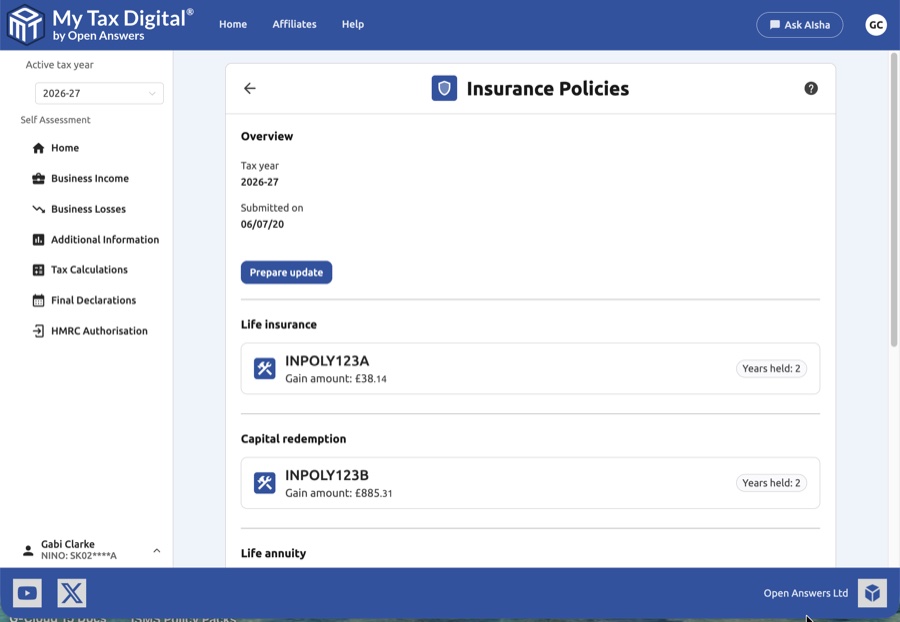
- Tax Year Context: Verify the Tax year shown and the date the information was last Submitted on.
- Prepare Update: Click the Prepare update button to enable data entry and modify existing policy details.
- Policy Summary: View existing records categorized by policy type. Each entry shows the policy reference, the gain amount, and the number of years the policy was held.
- Delete: Use the red Delete link at the bottom of the overview page to remove all insurance policy data for the selected tax year.
These gains are reported on SA101 (Additional Information) in the "Gains from life insurance policies" section.
2. Managing Policy Categories
You can add or edit details for five main types of insurance products. To add a new entry, click the + Add button next to the relevant category.
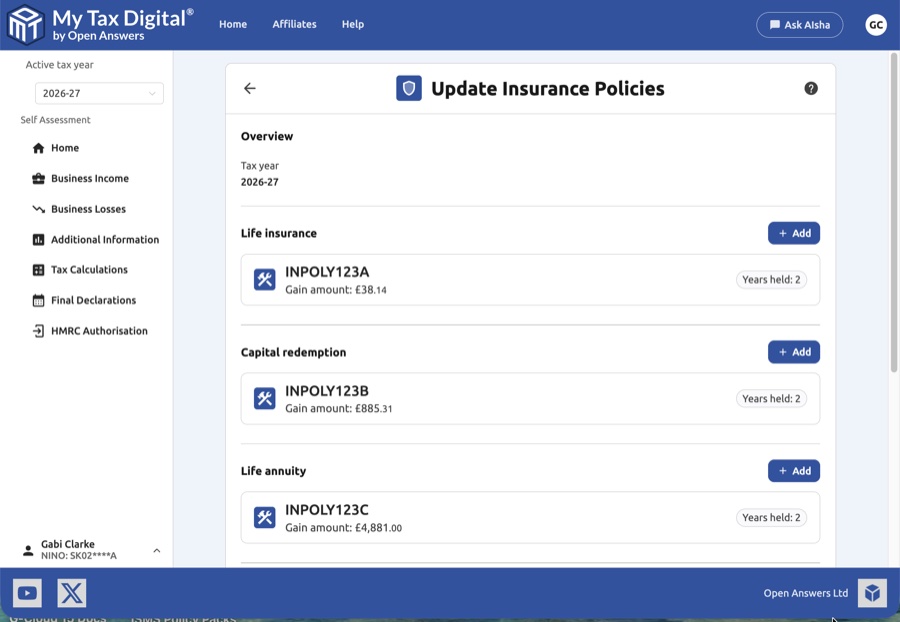
UK Policies (Life Insurance, Capital Redemption, Life Annuity)
Used for reporting gains on UK-based contracts.
- Required Details:
- Customer reference: A unique identifier for the policy (e.g., INPOLY123A).
- Event: The reason for the gain (e.g., "Death of spouse" or "Policy matured").
- UK policy or contract gains: The total taxable gain amount.
- Tax paid at source: Select Yes if basic rate tax was paid on the gain by the insurer, or No if it was not.
- Deficiency relief: Enter any relief amount if the policy has ended and the total gains are less than previous tax payments.
- Years held: Specify the total number of years the policy has been held and the number of years held since the last gain.
Voided ISAs
Used for reporting gains from ISAs that have been made "void" (invalidated) by HMRC.
- Required Details: Similar to UK policies, including the gain amount and any Tax taken off gain specifically related to the voiding event.
Foreign Policies
Used for reporting gains from life insurance policies or annuity contracts issued by a non-UK provider.
- Required Details:
- Gains from foreign policies: The total taxable gain in GBP.
- Tax treated as paid: Any foreign tax paid that can be credited against UK tax.
- Number of years: The number of years the foreign policy was held.
3. Adding and Editing Entries
- Modals: Clicking + Add or an existing policy tile opens a dedicated pop-up modal.
- Submit: Once you have completed the details within the modal, click Submit to add or save the record to your main list.
- Delete Entry: Within a modal, you can click the red Delete link to remove that specific policy record entirely.
- Cancel: Click Cancel to discard changes within a modal and return to the main list.
4. Finalising the Update
After reviewing your list and ensuring all gain amounts and years held match your "Chargeable Event Certificates" provided by your insurer:
- Update / Submit:
- If this is your first submission for insurance policies this year, the main button will be labeled Submit.
- If you are modifying existing records, the button will be labeled Update.
- Cancel: Click Cancel on the main screen to return to the dashboard without saving any changes.


