

UK Dividends
This guide explains how to use the My Tax Digital interface to record and update dividend income received from UK-based companies and other UK sources.
1. The UK Dividends Overview
The UK Dividends screen provides a summary of all domestic dividend income reported for the current tax year.
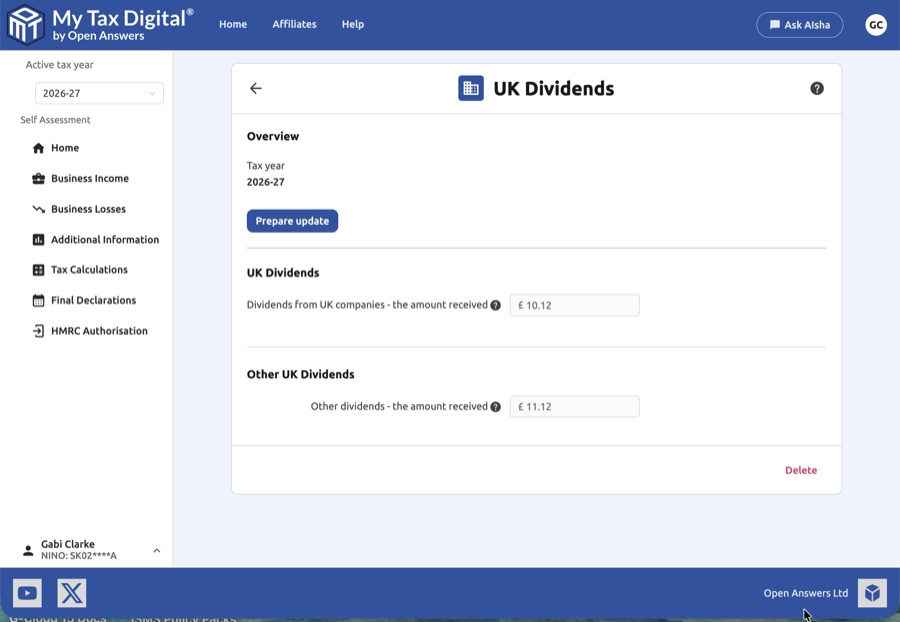
- Tax Year Context: Verify the Tax year shown to ensure the data is being applied to the correct period.
- Current Records: Review the read-only values for dividends already submitted.
- Prepare Update: Click the Prepare update button to enable the input fields and begin making changes.
- Delete: Use the red Delete link at the bottom of the page to remove all UK dividend data for this tax year.
2. Updating UK Dividends
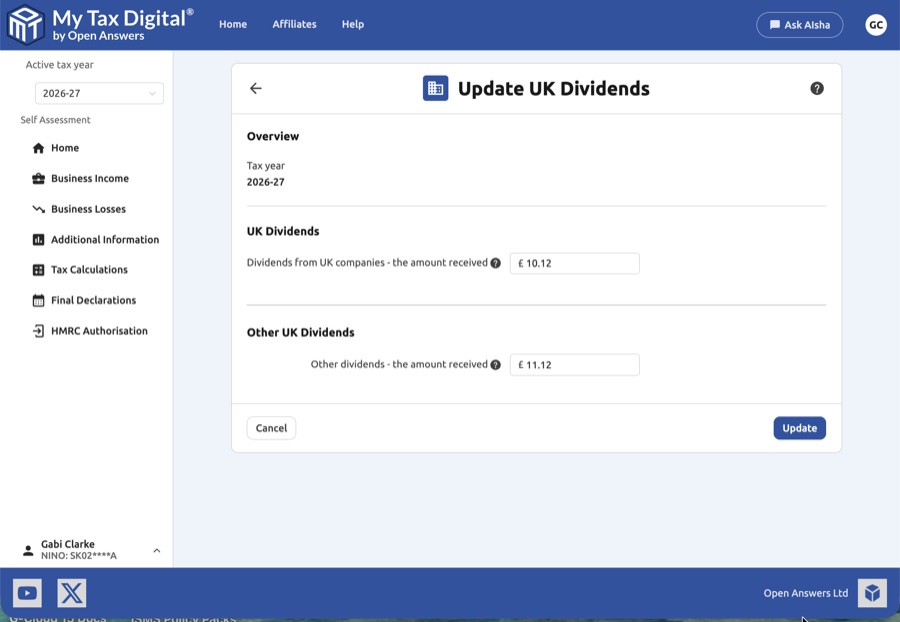
Once you enter the Update UK Dividends screen, you can provide totals for two main categories:
| Category | Description | SA100 |
|---|---|---|
| UK Dividends | The total amount received from UK-resident companies. | Box 5 |
| Other UK Dividends | Dividends received from other UK sources, such as unit trusts or open-ended investment companies (OEICs). | Box 6 |
- Amount Received: Enter the actual cash amount you received. Unlike older tax systems, you generally do not need to calculate a "tax credit" manually; simply enter the net dividend payment.
3. Finalising Your Submission
After entering your figures from your dividend vouchers or consolidated tax certificates:
- Review: Ensure the figures represent the total amount received within the specified tax year.
- Submit / Update:
- If this is your first submission for UK dividends this year, the button will be labeled Submit.
- If you are modifying existing records, the button will be labeled Update.
- Cancel: Click Cancel to return to the overview screen without saving your changes.


