

UK Interest
This guide explains how to use the My Tax Digital interface to record and update interest earned from UK banks and building societies.
1. The UK Interest Screen
The main UK Interest screen provides an overview of all savings sources currently linked to your tax profile.
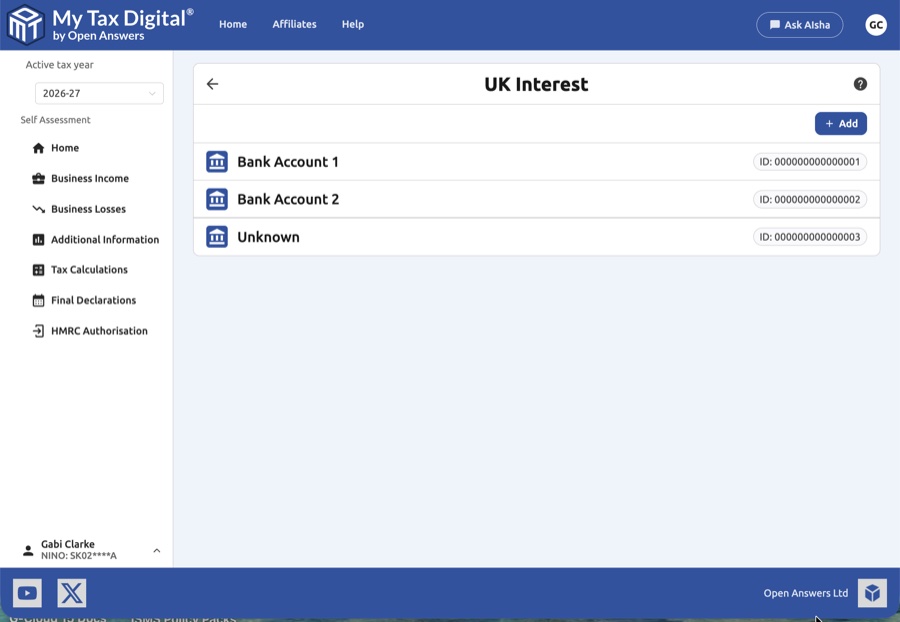
- Account List: View all registered accounts, such as "Bank Account 1" sources.
- Unique Identifiers: Each account is assigned a specific ID (e.g. 000000000000001) for precise tracking.
- Add New Accounts: Use the + Add button in the top right corner of the screen to register a new interest-bearing account.
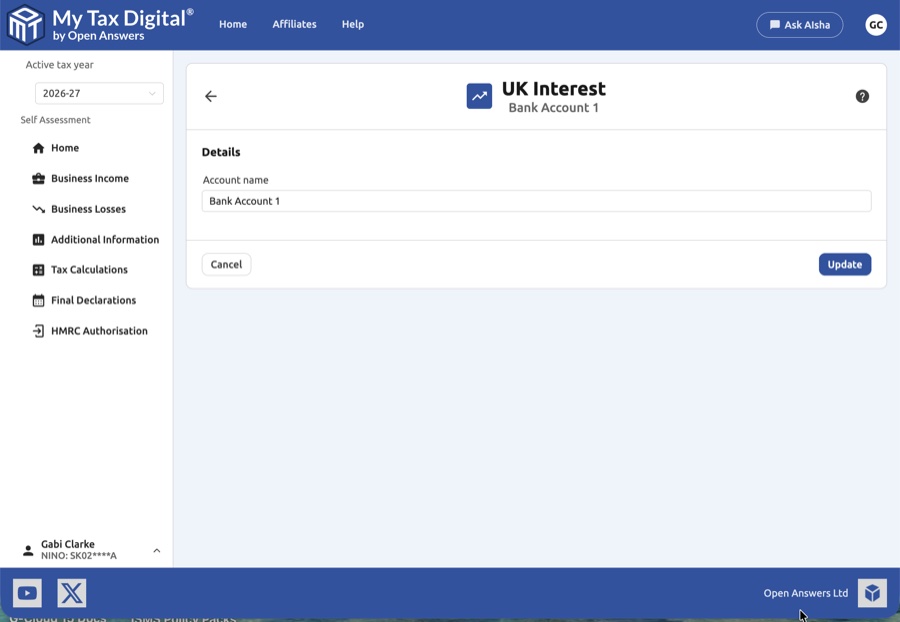
- Account name: This is a free-text label for your own reference, 1 to 32 characters (letters, numbers, spaces and a few punctuation marks such as & ' ( ) , - . /). Do not enter bank details. It is not linked to any real bank account.
One entry or one per account? HMRC adds together all the entries you submit, so My Tax Digital works the same whether you add one combined entry or one entry per account. HMRC's own guidance is framed per account; whether a combined figure is acceptable is a matter for HMRC, so check with HMRC or your accountant if you are unsure.
2. The Account Overview Screen
Selecting an account from the list opens its specific Overview screen.
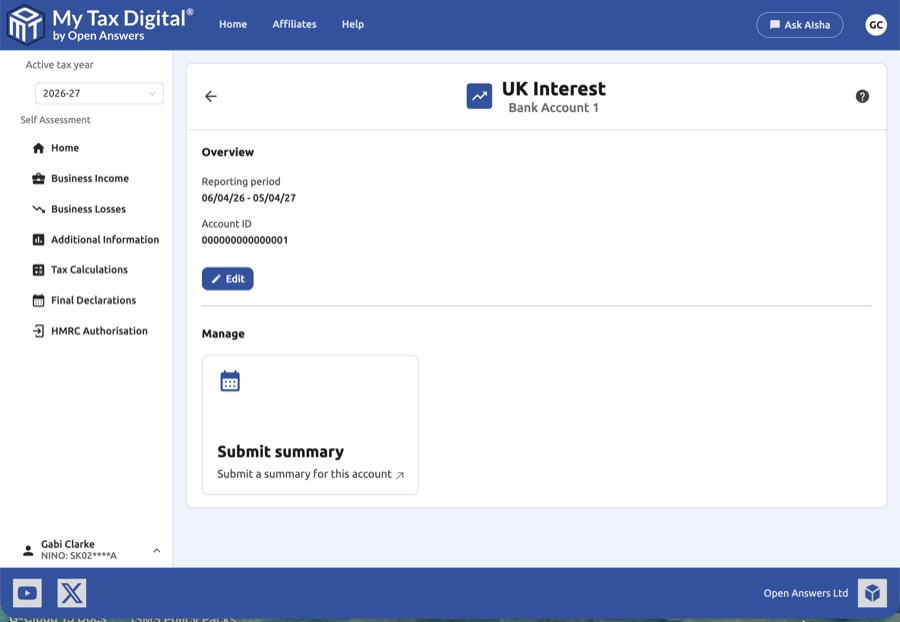
- Reporting Period: Check the Reporting period displayed to ensure you are viewing the correct tax year.
- Edit Details: Click the Edit button to navigate to a screen where you can update the account's display name.
- Start Submission: Click the Submit summary tile to proceed to the data entry screens.
3. The Interest Summary Screens
On the UK Interest Summary screen, you must provide details for two categories of interest:
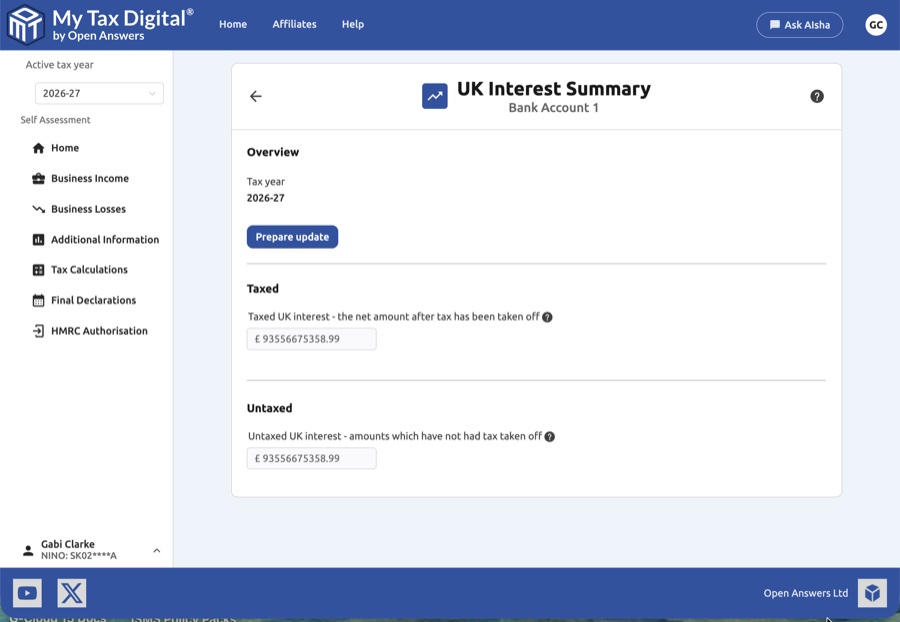
| Category | Description | SA100 |
|---|---|---|
| Taxed UK interest | The net amount of interest received after tax has already been taken off by the provider. | Box 1 |
| Untaxed UK interest | The gross amount of interest received where no tax has been deducted. | Box 3 |
The UK tax already taken off taxed interest is reported separately on SA100 Box 2.
- Prepare Update: Click the Prepare update button to enable the input fields on this screen.
4. Finalising Your Submission
Once you have entered the correct totals on the Update UK Interest Summary screen:
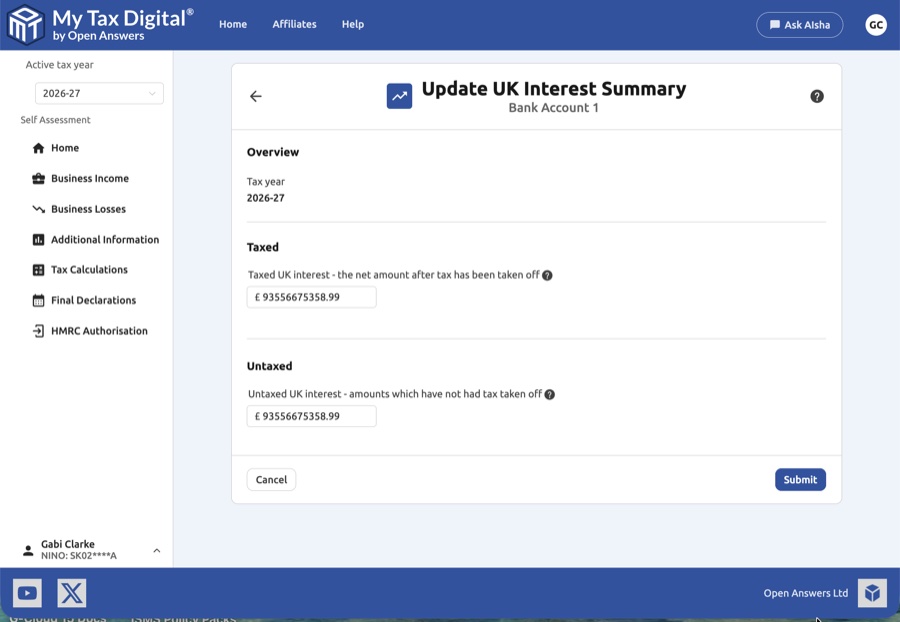
- Review: Ensure the figures on the screen match your bank statements or annual interest certificates.
- Submit / Update:
- If this is your first submission for UK Interest this year, the button will be labeled Submit.
- If you are modifying existing records, the button will be labeled Update.
- Cancel: If you need to discard your changes, click Cancel to exit the screen without saving.


