

Pension Charges
This guide explains how to use the My Tax Digital interface to record and update various pension-related charges, including overseas transfers, unauthorised payments, and annual allowance excess.
1. The Pension Charges Overview
The Pension Charges screen provides a summary of all tax charges related to your pension schemes for a specific tax year.
- Tax Year Context: Verify the Tax year shown and the date the information was last Submitted on.
- Prepare Update: Click the Prepare update button to unlock the input fields and begin modifying your figures.
- Delete All: A Delete link at the bottom of the overview page allows you to clear all pension charge data for the selected tax year.
These charges are reported on SA101 (Additional Information) in the "Pension savings tax charges" section.
2. Pension Scheme Overseas Transfers
Use this section to report charges arising from transferring pension funds to an overseas scheme.
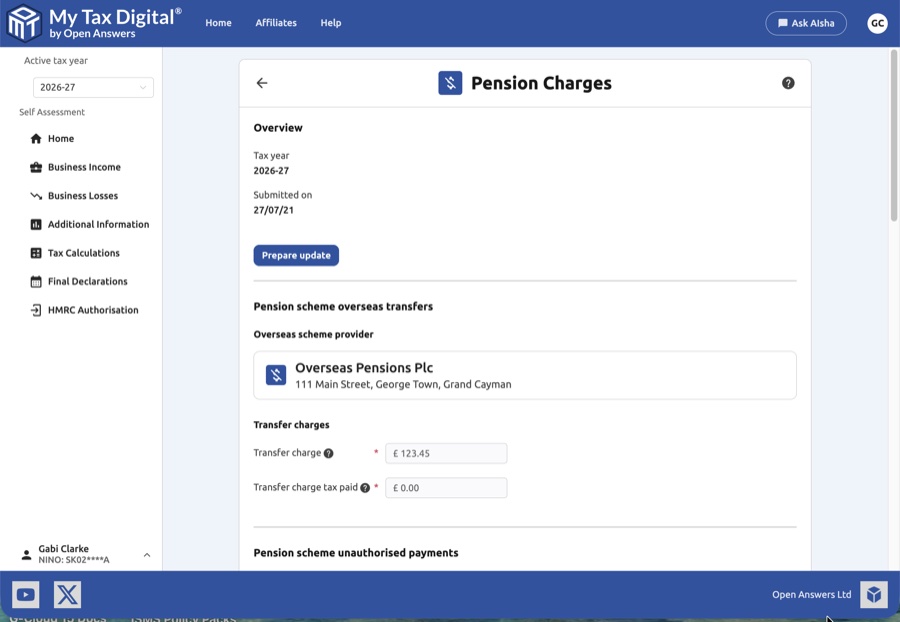
- Overseas Scheme Provider: Click + Add to enter details for a new provider via a pop-up modal.
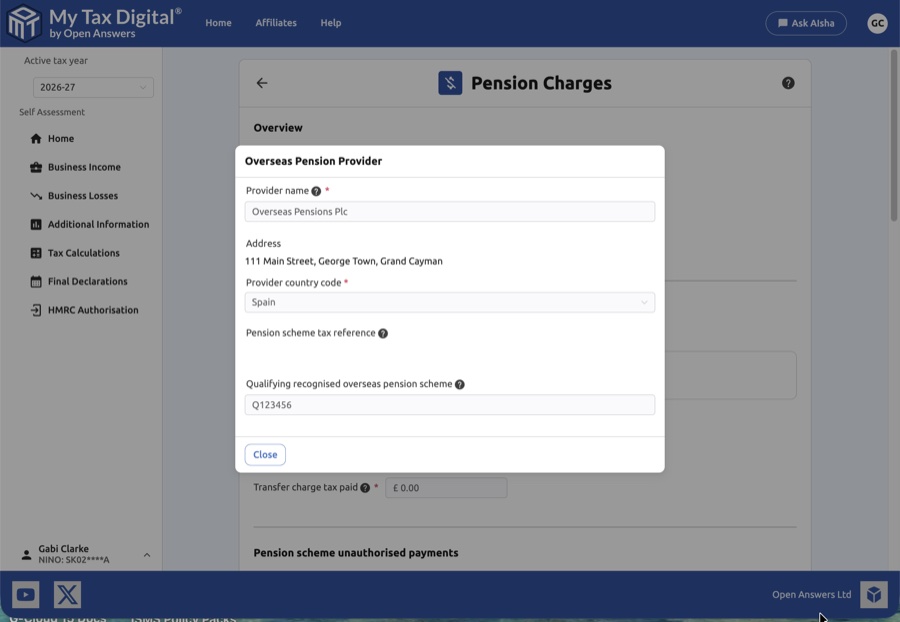
| Field | Description |
|---|---|
| Provider name | The name of the overseas pension provider. |
| Address | Full address of the provider. |
| Provider country code | Two-letter ISO country code for the provider's country. |
| Pension scheme tax reference | The HMRC pension scheme tax reference number. |
| QROPS number | The Qualifying Recognised Overseas Pension Scheme reference number. |
- Transfer Charges:
- Transfer charge: The amount subject to the overseas transfer charge.
- Transfer charge tax paid: Any tax already paid on this transfer.
3. Pension Scheme Unauthorised Payments
This section is for reporting payments made from a pension scheme that do not meet the "authorised payment" rules.
- Pension Scheme Tax Reference: Use the + Add button to record the 10-character reference for the scheme that made the payment.
- Payment Breakdown: Enter the Amount and any Foreign tax paid for two distinct categories:
- Surcharge: Payments subject to the unauthorised payments surcharge.
- No surcharge: Unauthorised payments not subject to the surcharge.
4. Pension Contributions & Allowances
This section captures data regarding contributions that exceed your annual limits.
| Field | Description | SA101 |
|---|---|---|
| In excess of the annual allowance | The portion of your total pension input that exceeds your available annual allowance. | — |
| Annual allowance tax paid | The amount of tax paid on the excess by you or your pension scheme. | — |
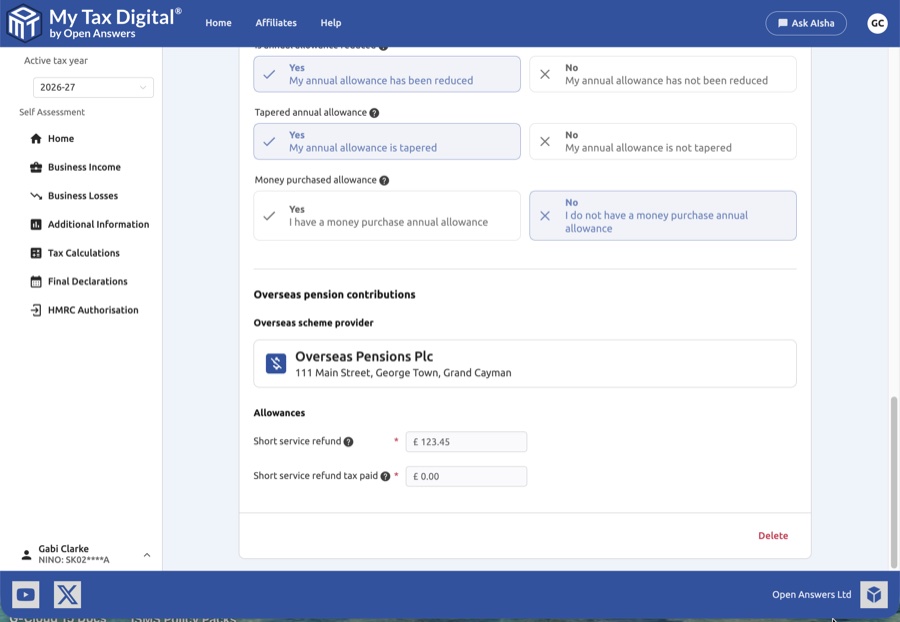
- Allowance Toggles: Select Yes or No for specific allowance conditions:
- Is annual allowance reduced: If your allowance was reduced for any reason.
- Tapered annual allowance: If you are subject to the tapered annual allowance due to high income.
- Money purchase allowance: If you have triggered the money purchase annual allowance by flexibly accessing your pension.
5. Overseas Pension Contributions
Report refunds received from overseas pension schemes that are subject to UK tax.
- Overseas Scheme Provider: Add or select the relevant international provider.
- Allowances:
- Short service refund: The amount of refund received from the overseas scheme.
- Short service refund tax paid: Any tax already deducted from the refund.
6. Finalising Your Update
Once you have ensured all scheme references, QROPS numbers, and financial totals match your pension statements:
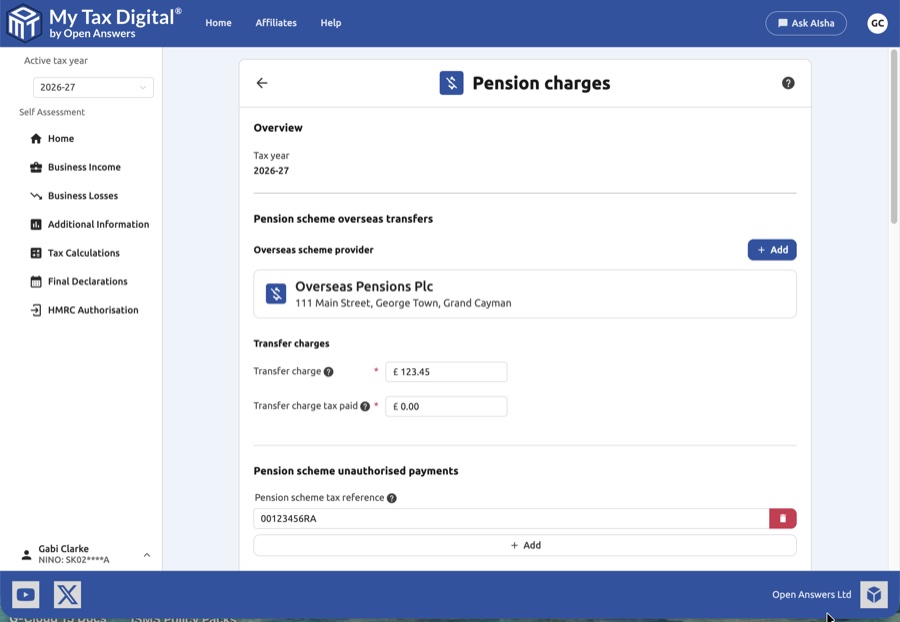
- Submit / Update:
- If this is your first submission for pension charges this year, the main button will be labeled Submit.
- If you are modifying existing records, the button will be labeled Update.
- Cancel: Click Cancel to exit the screen without saving your progress.


