

Foreign Dividends
This guide explains how to use the My Tax Digital interface to record and update dividend income received from foreign sources, including stock dividends, redeemable shares, and income received while living abroad.
1. The Foreign Dividends Overview
The main Foreign Dividends screen serves as the starting point for reporting your international investment income for a specific tax year.
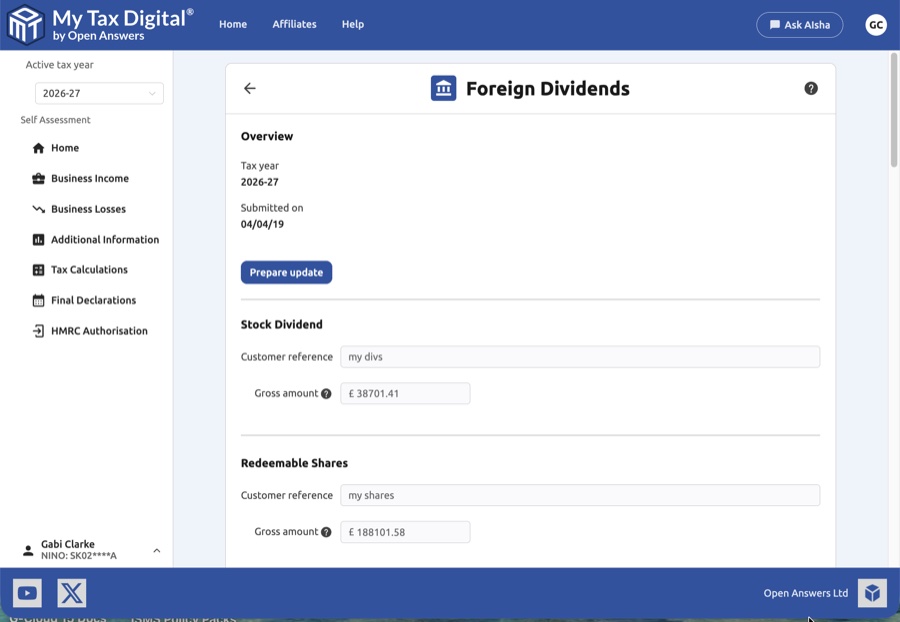
- Tax Year Context: Check the Overview section to confirm you are working on the correct tax year.
- Prepare Update: You must click the Prepare update button to unlock the input fields for editing.
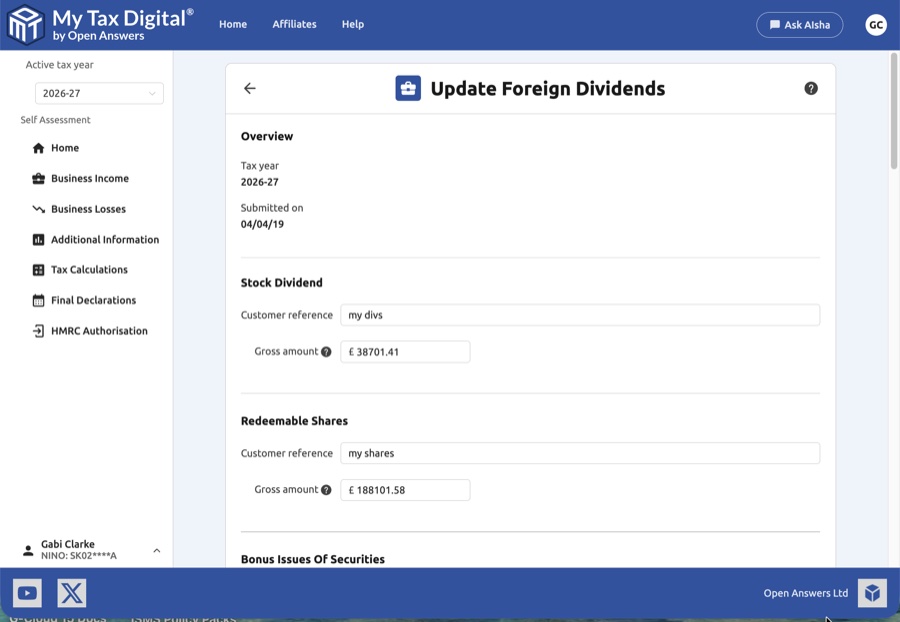
- General Dividend Categories: Provide a Customer reference and the Gross amount for standard categories:
- Stock Dividend: For dividends paid as additional shares.
- Redeemable Shares: For income from shares that may be redeemed by the company.
- Bonus Issues of Securities: For new shares issued to existing holders.
- Close Company Loans Written Off: For loans from a close company that have been waived.
2. Dividend Income Received Whilst Abroad
Once general dividends are noted, you can record income specifically received while you were residing outside of the UK.
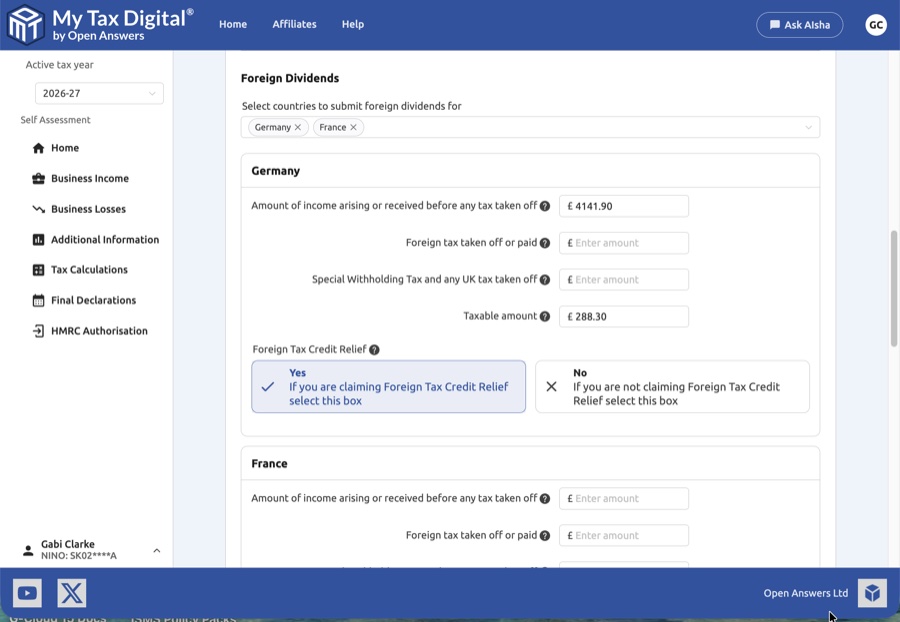
- Select Countries: Use the multi-select dropdown menu to add countries (e.g., "Germany", "France"). A dedicated data entry block will appear for each country selected.
- Removing Countries: If a country was added in error, you can click the Delete button at the bottom of the page or the X on the country tag in the dropdown.
3. Detailed Country Data Entry
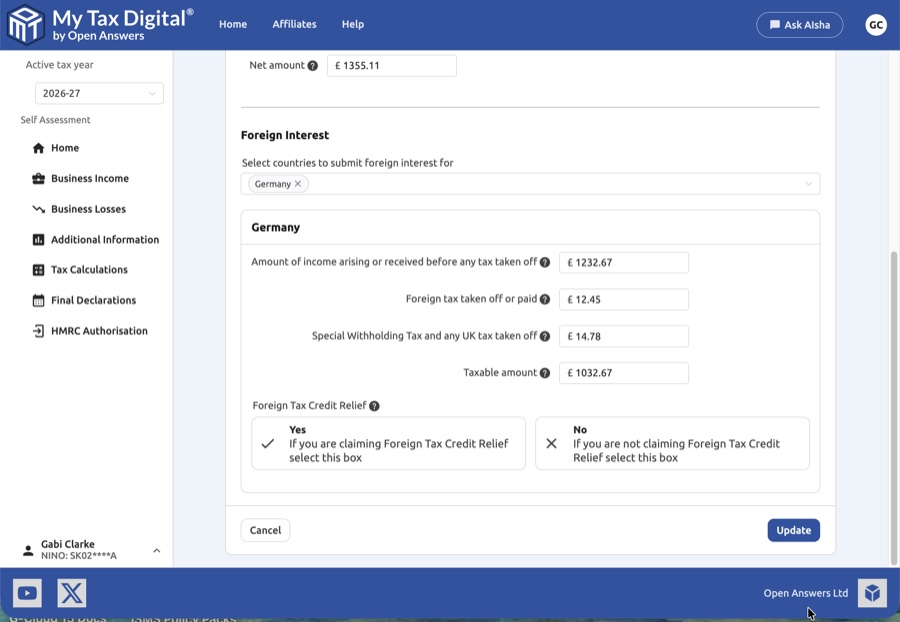
For each selected country, you must provide a breakdown of the income and any taxes already applied.
| Field | Description | SA106 |
|---|---|---|
| Amount of income arising | The total dividend amount received before any tax was deducted. | — |
| Foreign tax taken off or paid | The amount of tax paid to the foreign tax authority. | — |
| Special Withholding Tax | Any specific UK or foreign withholding tax taken off at the source. | — |
| Taxable amount | The net portion of the income that is subject to UK tax. | — |
Per-country dividend income is reported on SA106 with a separate entry for each country.
4. Foreign Tax Credit Relief (FTCR)
To prevent double taxation, the interface requires you to specify if you are claiming relief on the foreign tax already paid.
- Yes (Claiming Relief): Select this if you want the foreign tax paid to be credited against your UK tax bill.
- No (Not Claiming): Select this if you are not claiming a credit; the foreign tax may instead be treated as a deduction from the gross income amount.
5. Finalising Your Submission
After ensuring all country-specific blocks (like Germany and France) are accurately filled, you must commit the data:
- Review: Verify that the "Taxable amount" and "Foreign tax" fields align with your foreign dividend vouchers or certificates.
- Submit / Update:
- If this is your first time providing this information, the button will be labelled Submit.
- If you are modifying previously entered data, the button will be labelled Update.
- Cancel: Click Cancel to exit the screen without saving your current progress.


