

Foreign Pensions
This guide explains how to use the My Tax Digital interface to record and update pension income received from abroad, as well as contributions made to overseas pension schemes.
1. The Foreign Pensions Overview
The Foreign Pensions screen allows you to manage income from international pensions and claim relevant reliefs based on Double Taxation Agreements (DTA).
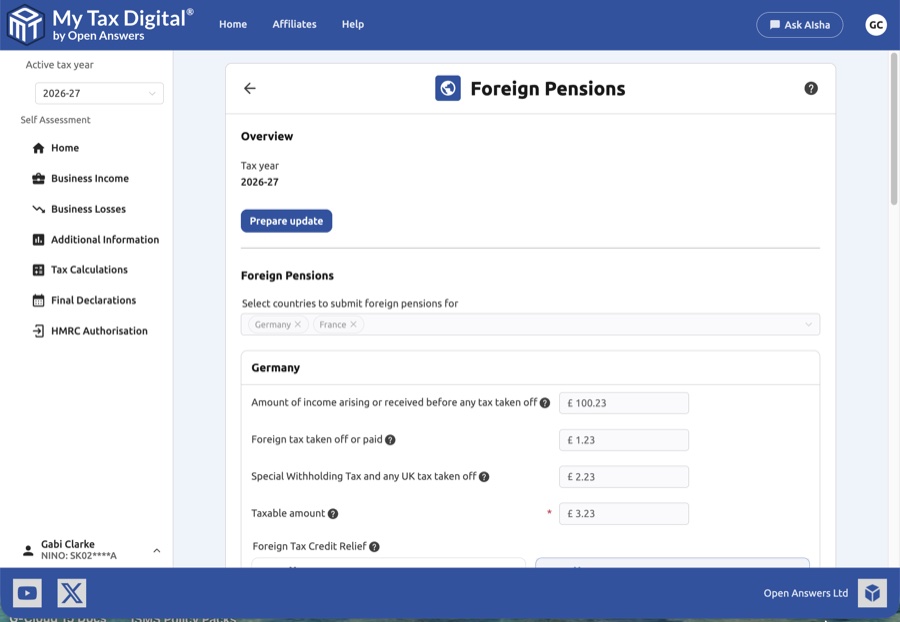
- Overview Section: Verify the Tax year shown and the Date submitted for the current record.
- Prepare Update: Click this button to unlock the fields for editing.
- Delete: Use the red Delete link at the bottom of the page to remove all foreign pension data for this tax year.
2. Recording Foreign Pension Income
Select the countries from which you receive pension income. A dedicated section will appear for each country (e.g., Germany).
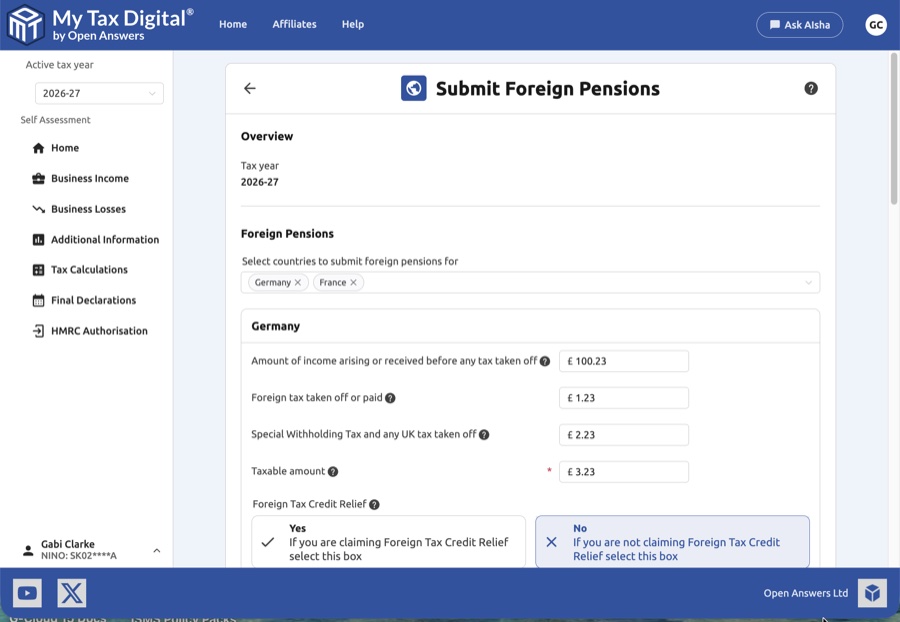
| Field | Description | SA106 |
|---|---|---|
| Amount of income arising | The total pension amount received before any tax was taken off. | — |
| Foreign tax taken off or paid | The amount of tax paid to the foreign country's tax authority. | — |
| Special Withholding Tax | Any specific UK or foreign withholding tax deducted at the source. | — |
| Taxable amount | The final amount subject to UK tax after applicable deductions. | — |
Overseas pension income is reported on SA106 in the "Overseas pensions, social security benefits and royalties" section. A separate entry is required for each source country.
- Foreign Tax Credit Relief (FTCR): Choose Yes to claim a credit against your UK tax for tax paid abroad, or No to treat the foreign tax as a deduction from the income.
3. Overseas Pension Contributions (DTA Countries)
If you have made contributions to a pension scheme in a country that has a Double Taxation Agreement (DTA) with the UK, use this section to claim relief.
- Country Selection: Select the relevant DTA country (e.g., France).
- Required Identifiers:
- Customer reference: A unique name for your records.
- QOPS reference number: The Qualifying Overseas Pension Scheme reference.
- Double taxation article/treaty: The specific details of the treaty under which you are claiming relief.
- SF74 reference: The HMRC-issued reference for the specific pension scheme.
- Relief Figures:
- Exempt employers pension contributions: The value of contributions made by your employer that are exempt from tax.
- Double taxation relief: The specific amount of relief being claimed under the treaty.
4. Overseas Pension Contributions (Non-DTA Countries)
For contributions made to schemes in countries without a specific DTA, use the Overseas pension contributions for countries without a DTA section.
- Add Entry: Click the + Add button to create a new record.
- Data Entry: Provide the QOPS reference, SF74 reference, and the contribution amounts as described in the DTA section above.
- Delete Entry: Click the red Delete link within an entry block to remove that specific record.
5. Finalising Your Submission
Once all income and contribution details are entered:
- Review: Ensure all reference numbers (QOPS, SF74) and treaty articles match your official documentation.
- Submit / Update:
- If this is your first submission for foreign pensions this year, the button will be labeled Submit.
- If you are modifying existing records, the button will be labeled Update.
- Cancel: Click Cancel to exit the screen without saving your progress.


