

Employments & Pensions
This screen serves as the central directory for all your employment and pension income sources for the current tax year.
1. The Employments & Pensions List
The main Employments & Pensions screen displays every company, organisation, or pension provider you have received income from during the period.
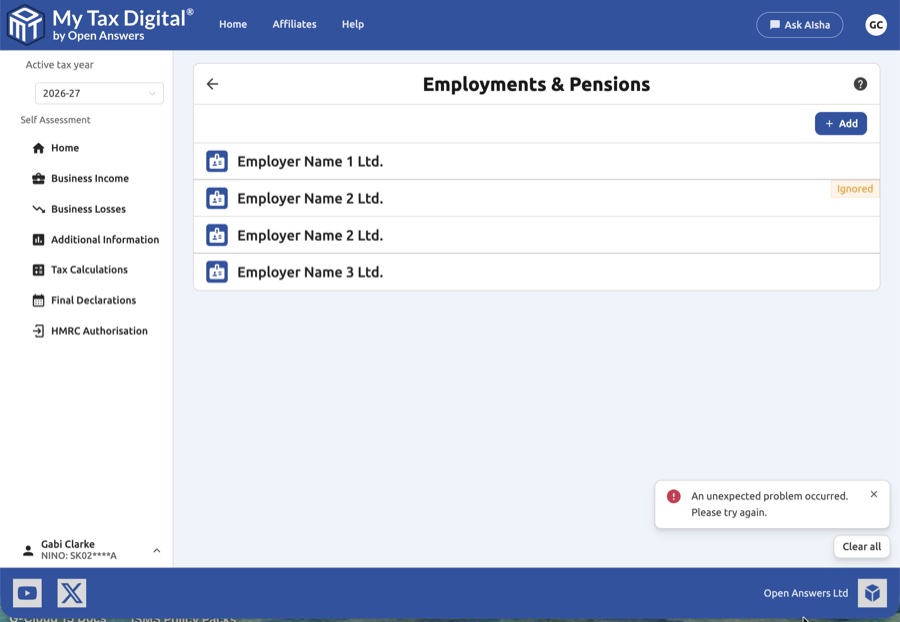
- Employer/Pension Cards: Displays the name of the employer or pension provider.
- Status Tags: Entries marked as Ignored are excluded from your final tax calculation.
- Add New: Click the + Add button at the top right to manually record a new employment or pension.
2. Creating a New Record
When adding a new record, first select the record type:
- Employment - for income received from a current or former employer.
- Pension - for income from any type of pension (occupational, personal, SIPP, annuity etc.).
Employment details
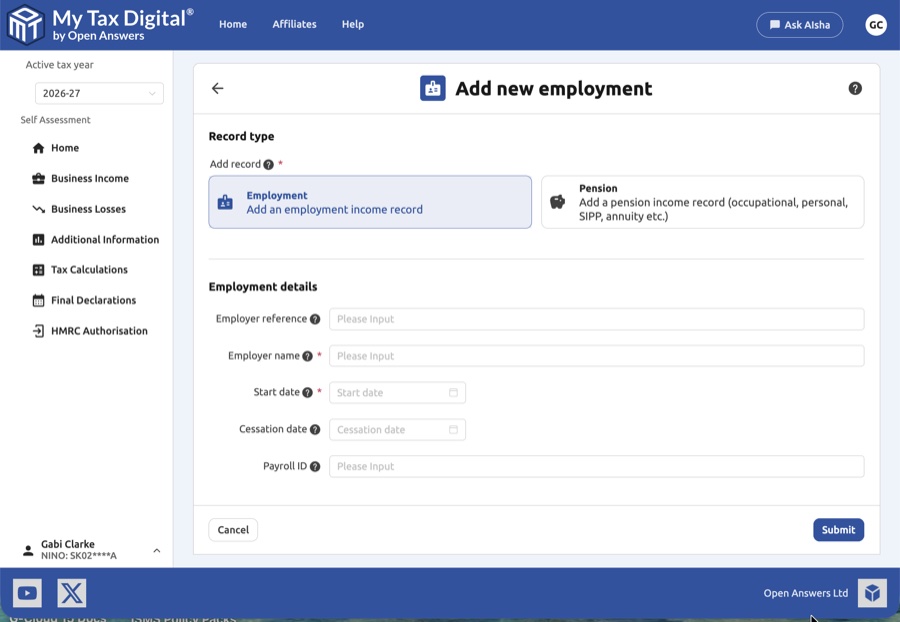
| Field | Description | SA102 |
|---|---|---|
| Employer reference | Tax office reference (e.g., 123/AB456). | Box 4 |
| Employer name | Legal name of the company. | — |
| Start date | Date you began working for this employer. | — |
| Cessation date | Date employment ended (leave blank if still current). | — |
| Payroll ID | Your unique employee identifier (found on payslips). | — |
Pension details
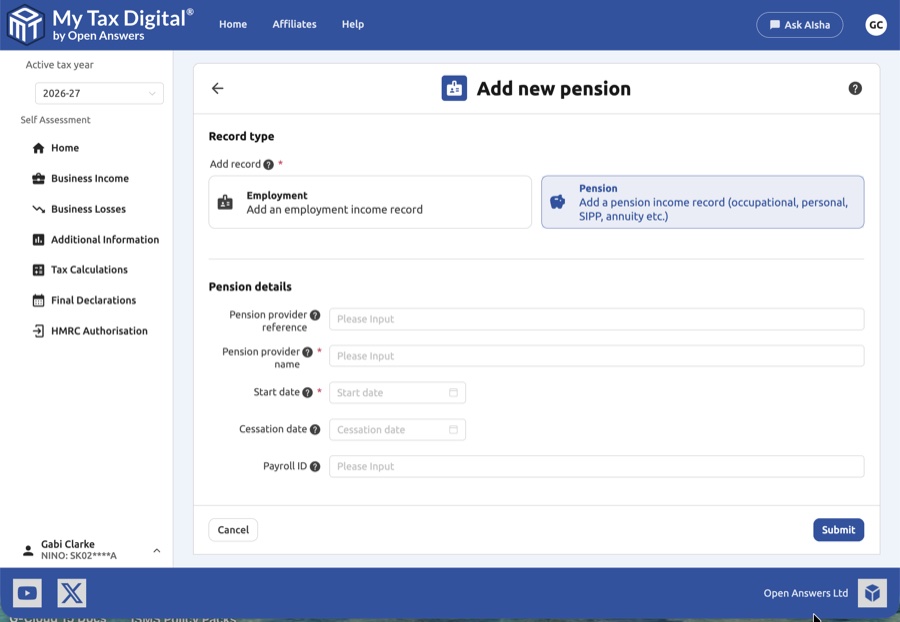
| Field | Description |
|---|---|
| Pension provider reference | Reference number from your pension provider, if known. |
| Pension provider name | Name of the pension scheme or financial institution. |
| Start date | Date your pension payments began. |
| Cessation date | Date pension payments ceased (leave blank if still ongoing). |
| Payroll ID | Payroll ID assigned by the pension provider, if applicable. |
3. Employer & Pension Overview
Clicking a specific entry opens the management hub:
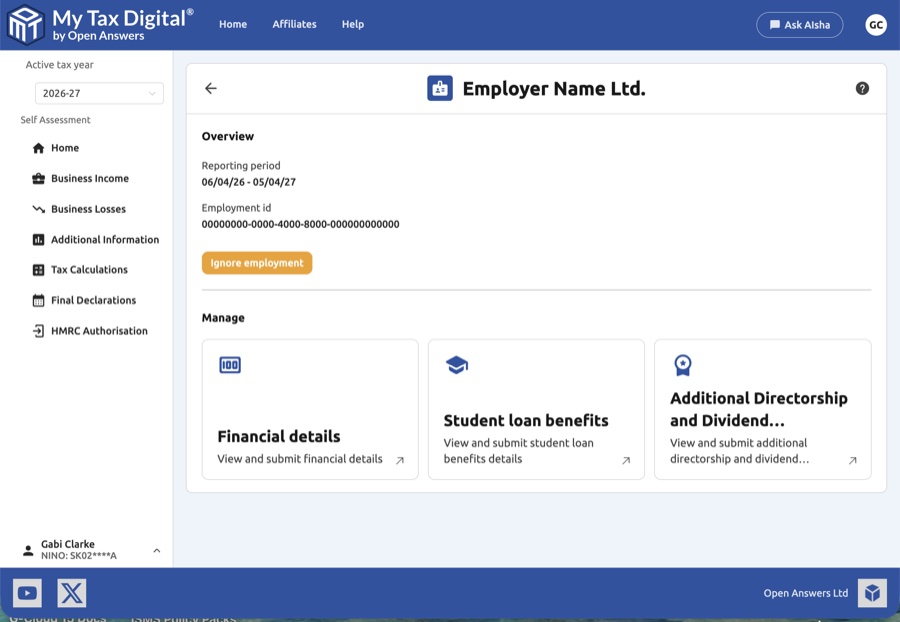
- Ignore: Excludes this data from tax calculations without deletion.
- Financial Details: Navigate here to manage pay, tax, and Benefits in Kind.
- Student Loan Benefits: Navigate here to manage specific payrolled student loan perks.


